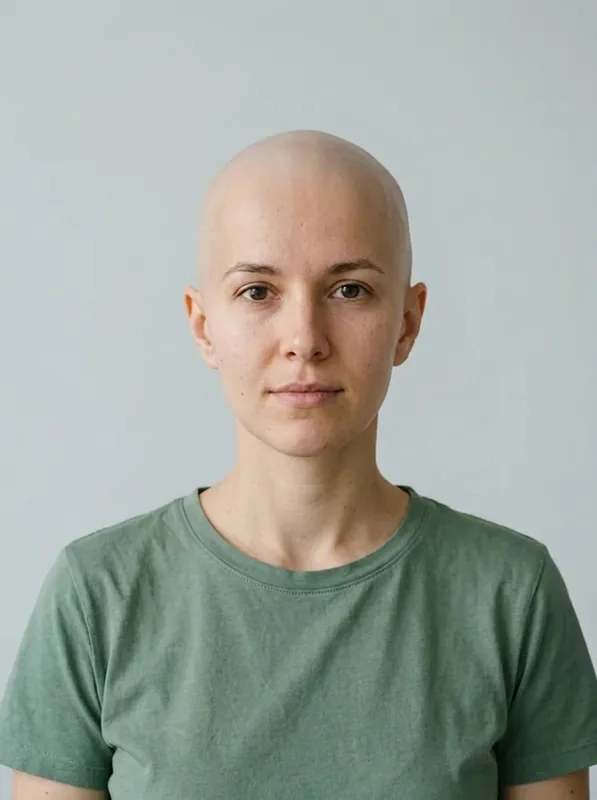
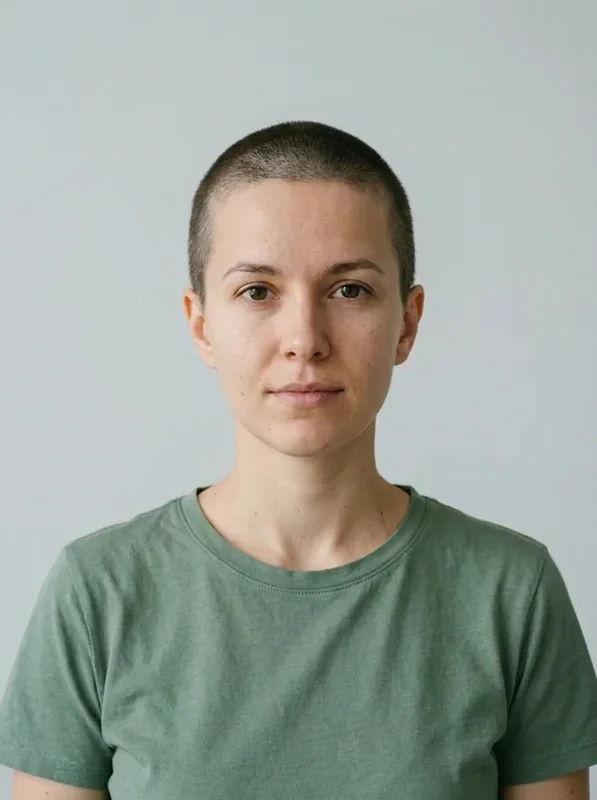
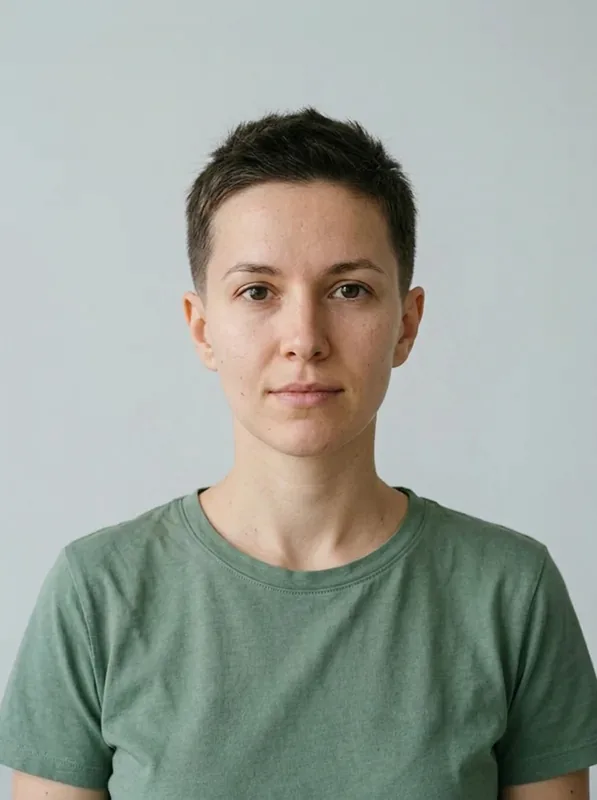
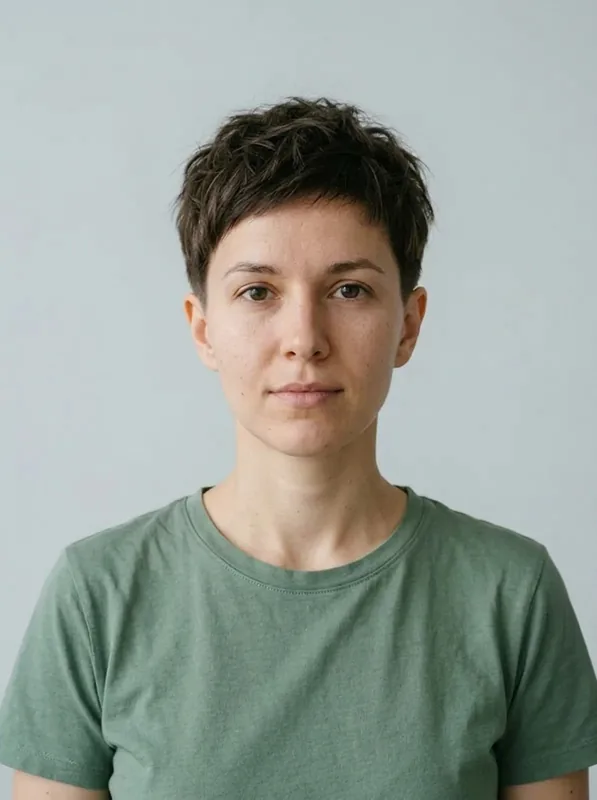
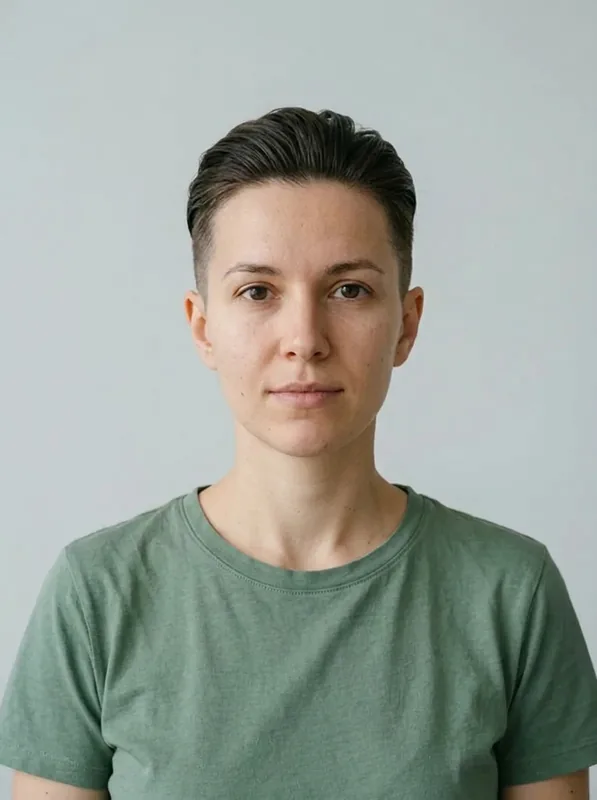
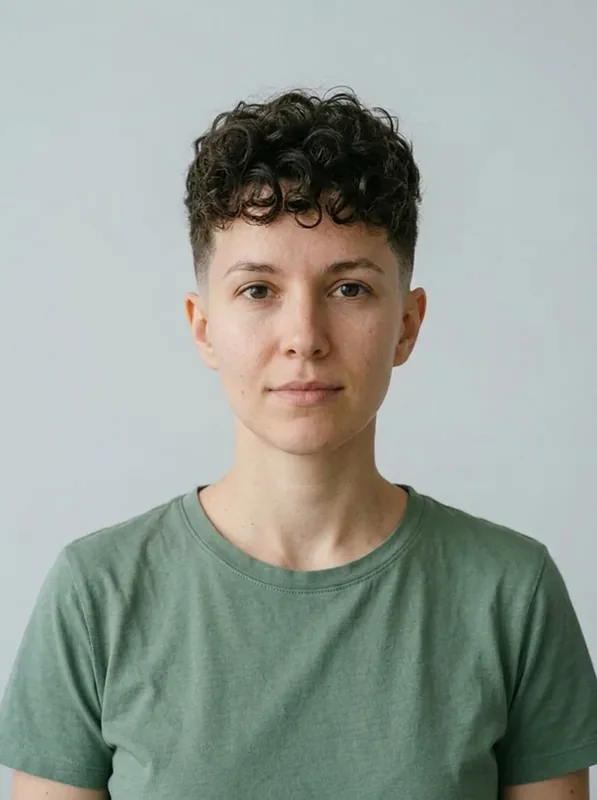
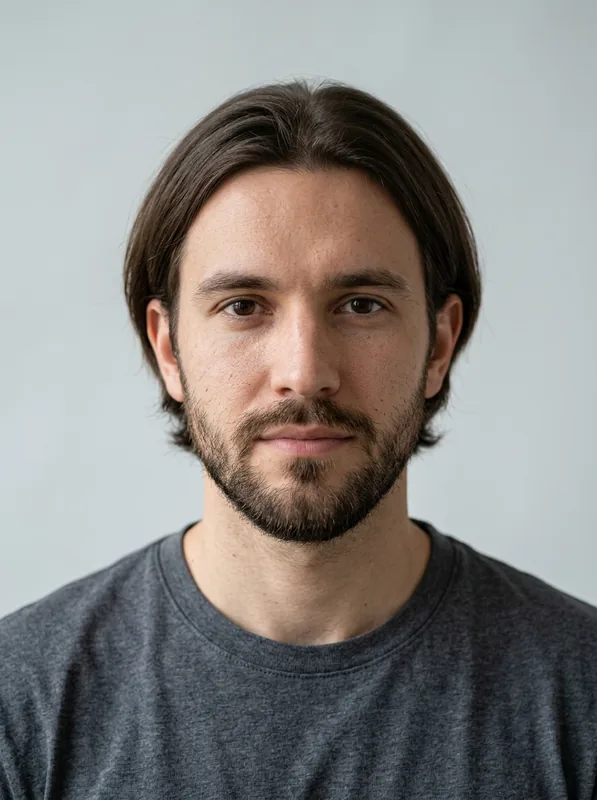
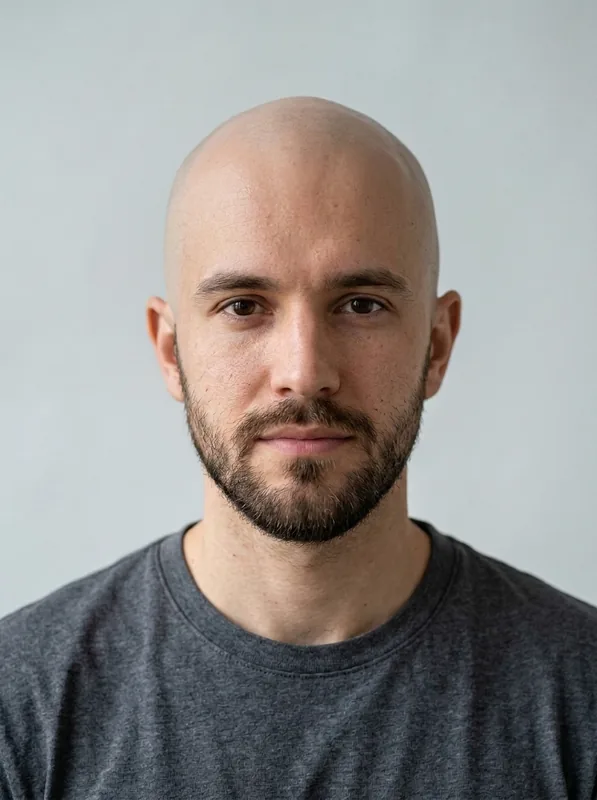
Testez des coupes de cheveux sur votre photo grâce à Gemini AI Hairstyle et Google Nano Banana 2.1. Choisissez un prompt ou décrivez votre coupe. Un aperçu gratuit sans inscription lorsque le réglage sélectionné coûte 20 crédits ou moins. Partagé avec d'autres modèles d'image éligibles par IP et navigateur. Connectez-vous et utilisez les crédits de votre compte pour aller plus loin.Prompts de coiffure et 18 aperçus
JPG, PNG, WEBP jusqu'à 30 Mo chacun
Change only the hair in the uploaded portrait to a chin-length blunt bob with a center part, straight dark brown strands, and ends curving gently inward. Keep the same face, expression, skin tone, shirt, pose, lighting, background, and camera framing. Keep the hairline natural and the entire head visible. Do not add makeup, accessories, text, or extra people.
Testez une nouvelle coupe sur votre propre photo
Gemini AI Hairstyle utilise la retouche d'image de Google pour prévisualiser une coupe de cheveux sur votre portrait. Comparez un carré, une coupe pixie, une coupe rasée ou un crâne rasé tout en demandant de préserver votre visage et l'arrière-plan.
Des cheveux longs au carré au menton
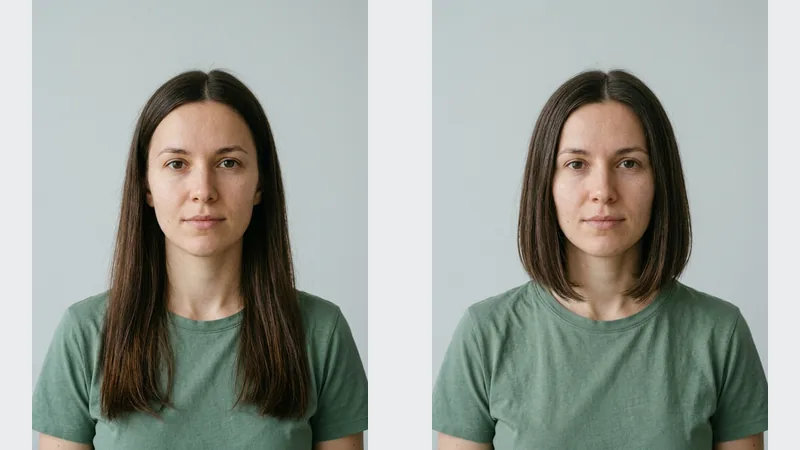
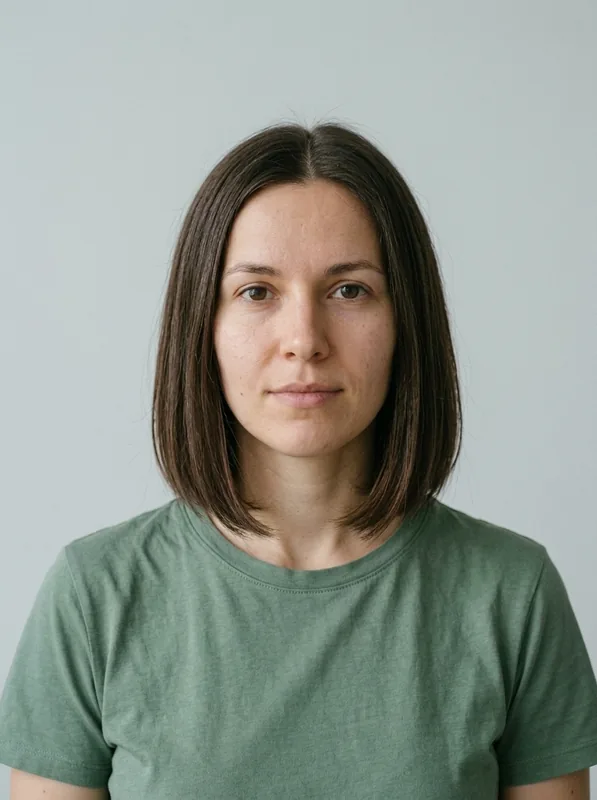
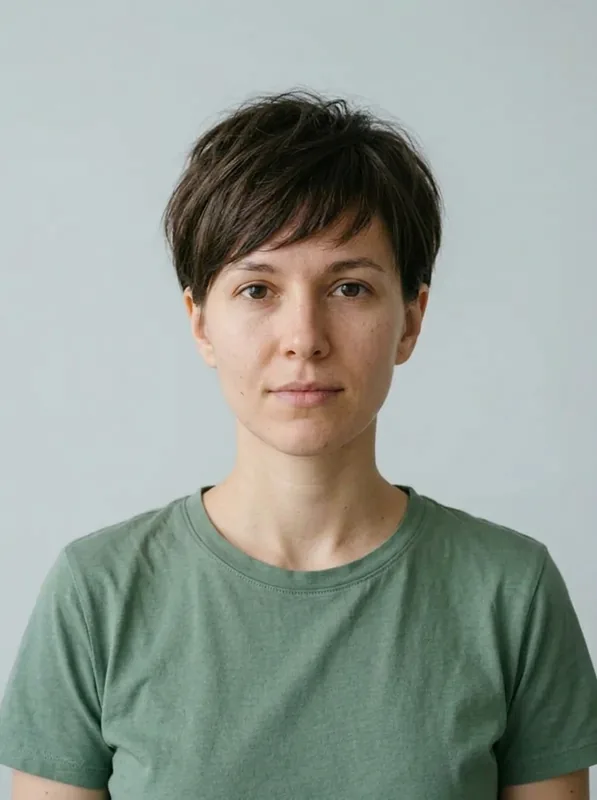
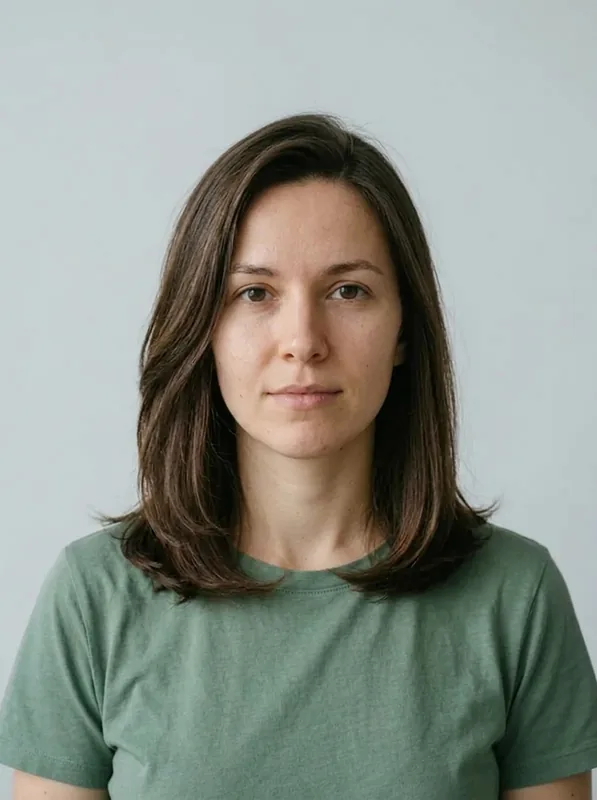
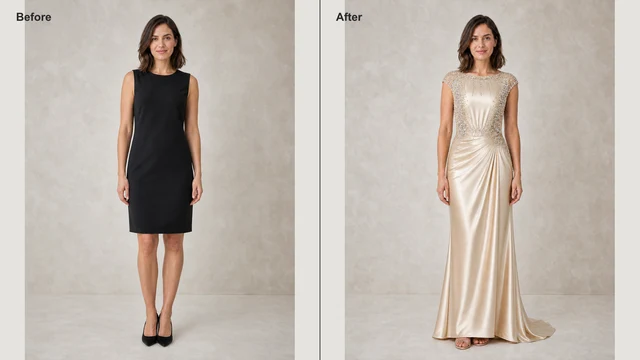
Nano Banana 2.1 a généré ce portrait fictif et cette version au carré avec le prompt Carré au menton.
Portrait d'origineAperçu du carré
Nano Banana 2.1 · Image à image · 1K · 3:4
Prompts de coiffure Gemini à essayer
Chaque aperçu part du portrait d'origine du modèle dans une génération distincte.
Prompts de coiffures Gemini IA pour femmes
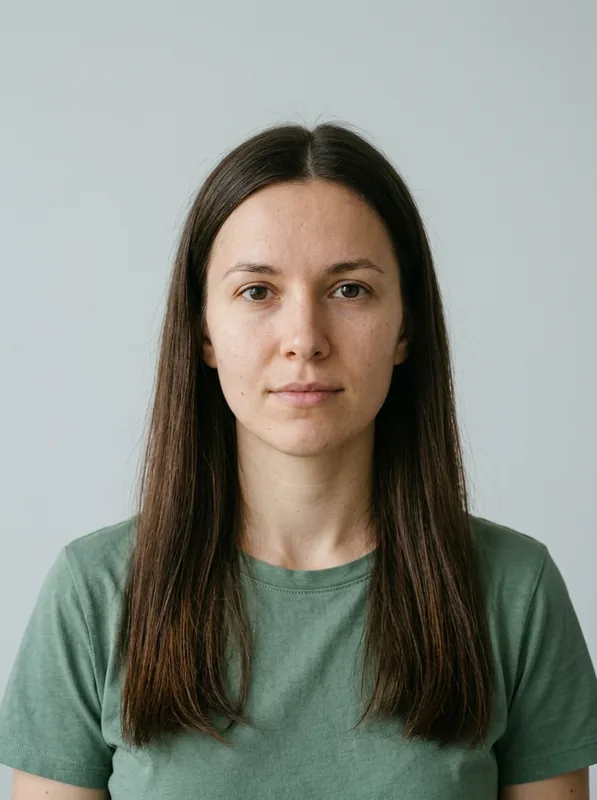
Comparez douze coupes sur un même modèle féminin.
Portrait d'origine
Carré au menton
Change only the hair in the uploaded portrait to a chin-length blunt bob with a center part, straight dark brown strands, and ends curving gently inward. Keep the same face, expression, skin tone, shirt, pose, lighting, background, and camera framing. Keep the hairline natural and the entire head visible. Do not add makeup, accessories, text, or extra people.
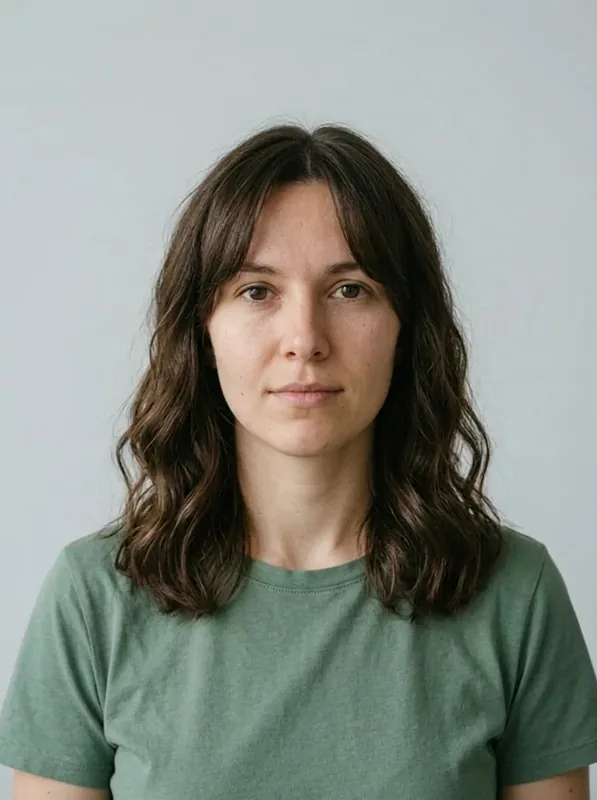
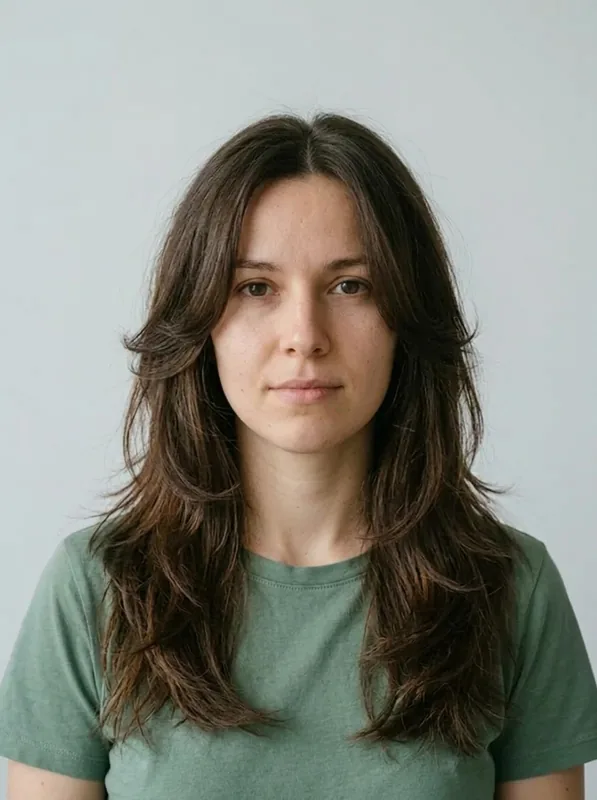
Frange rideau et ondulations
Edit only my hair to shoulder-length soft waves with curtain bangs that part in the middle and taper toward my cheekbones. Retain my original hair color. Keep my face, expression, skin texture, outfit, background, and lighting unchanged. Show the full hairstyle in the original framing.
Coupe pixie douce
Edit my hair into a soft pixie cut with tapered sides, a textured top, and a side-swept fringe. Retain my hair color, face, expression, outfit, lighting, and background. Change only the hair.
Lob dégradé aux épaules
Give me a shoulder-length lob with subtle layers, a side part, and gently curved ends. Keep my original hair color, face, expression, clothing, pose, and scene unchanged. Show the complete haircut.
Dégradé papillon long
Change my hair to long butterfly layers with cheekbone-length face framing and softly feathered ends below the shoulders. Preserve my hair color, face, expression, clothing, lighting, and background. Change only the hairstyle.
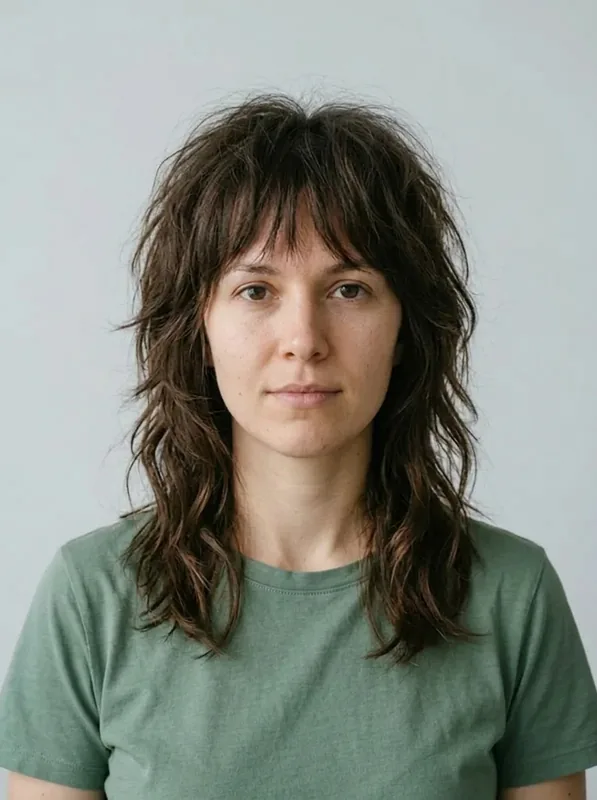
Wolf cut ondulée
Preview a shoulder-length wolf cut with shaggy crown layers, wispy bangs, and longer wavy strands at the back. Keep my original hair color, face, expression, clothes, lighting, and background. Change only my hair.
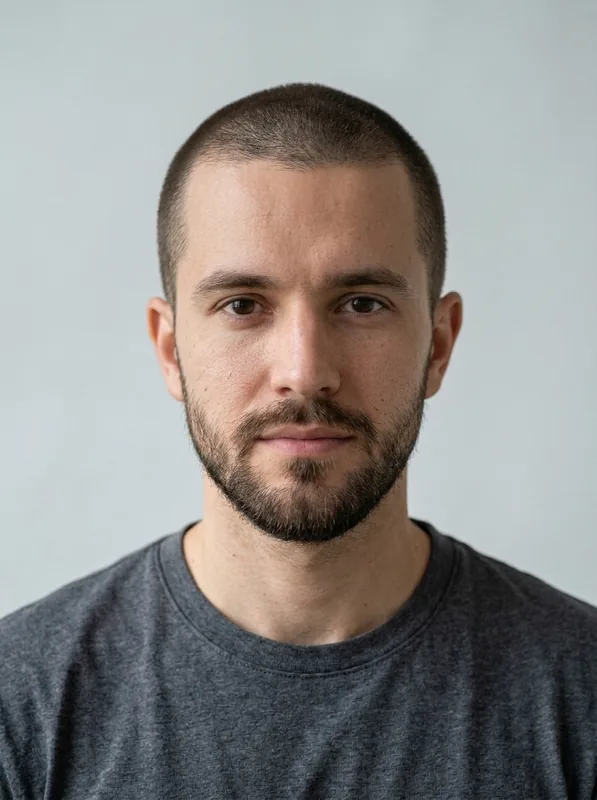
Crâne rasé à blanc
Show me with a completely bald, clean-shaven head and natural scalp shading matching the portrait lighting. Keep my face, eyebrows, beard, expression, clothing, pose, and background unchanged. Remove only the scalp hair.
Buzz cut classique
Replace my hair with an even number-two buzz cut, short visible stubble, and a natural hairline. Preserve my hair color, face, beard, expression, clothing, lighting, and background. Change only the haircut.
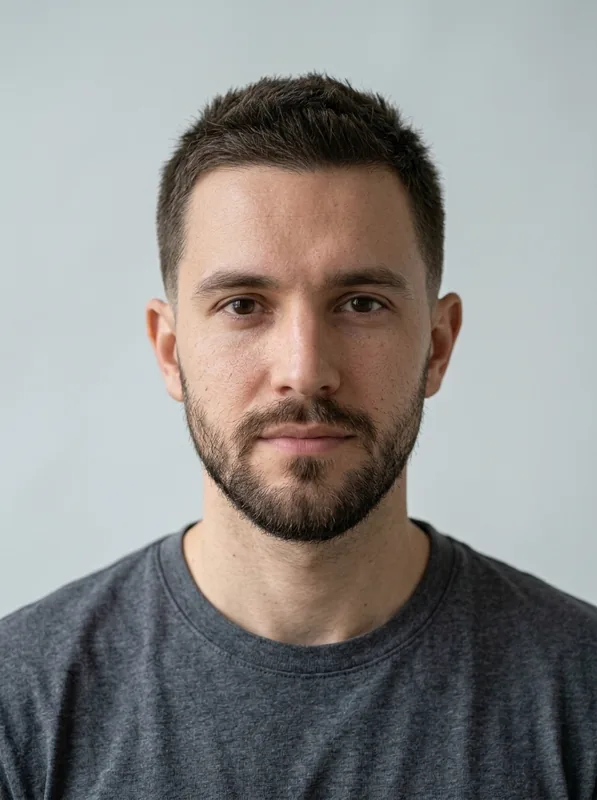
Crew cut avec dégradé bas
Give me a crew cut with a short upright top and a low taper around the ears and neckline. Keep my hair color, face, beard, expression, outfit, lighting, and background. Edit only the hair.
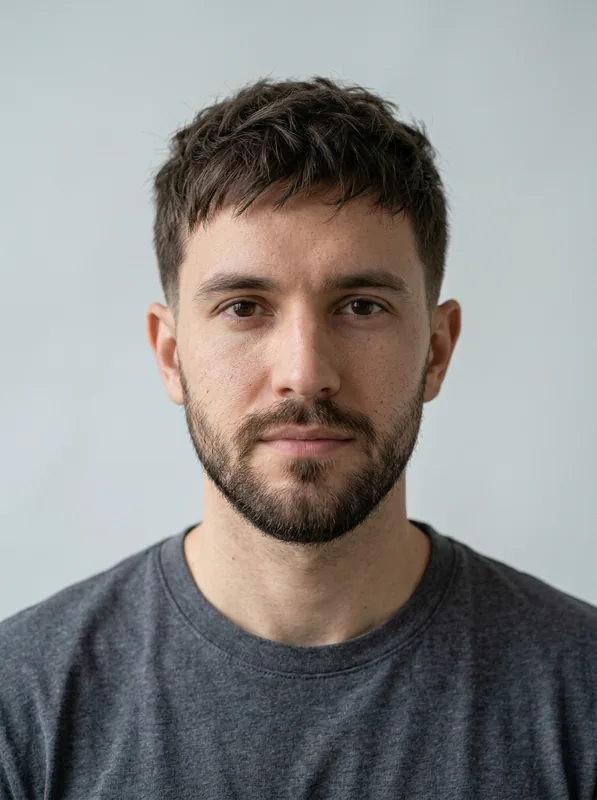
Textured crop
Give the person in image 1 a short textured crop with a low taper on the sides, a natural hairline, and a softly tousled top. Keep the original hair color, face, beard, expression, clothing, pose, and background. Change only the haircut and match the original lighting.
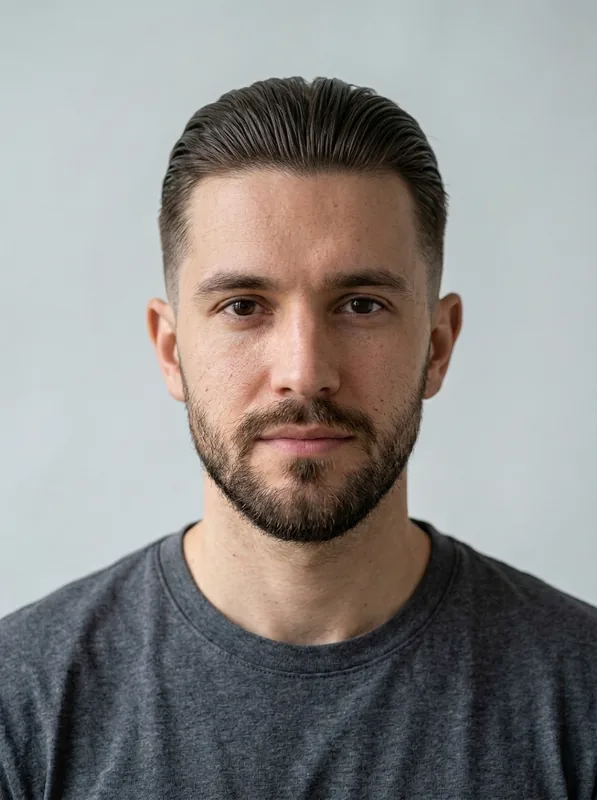
Undercut plaqué en arrière
Change my hair to a slicked-back undercut with a longer swept-back top and closely clipped sides. Keep my hair color, face, beard, expression, clothes, pose, lighting, and background unchanged. Edit only my hair.
Cheveux bouclés avec dégradé à blanc
Preview a defined curly top with a mid skin fade around the sides and back. Preserve my original hair color, face, beard, expression, clothing, lighting, and background. Change only the haircut.
Prompts de coiffures Gemini IA pour hommes
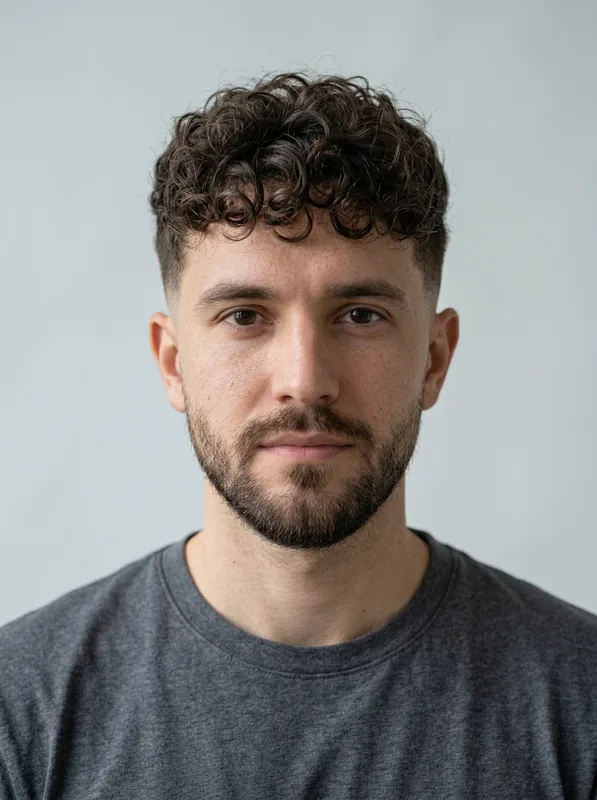
Comparez six coupes sur un même modèle masculin, en gardant la barbe inchangée.
Portrait d'origine
Crâne rasé à blanc
Show me with a completely bald, clean-shaven head and natural scalp shading matching the portrait lighting. Keep my face, eyebrows, beard, expression, clothing, pose, and background unchanged. Remove only the scalp hair.
Buzz cut classique
Replace my hair with an even number-two buzz cut, short visible stubble, and a natural hairline. Preserve my hair color, face, beard, expression, clothing, lighting, and background. Change only the haircut.
Crew cut avec dégradé bas
Give me a crew cut with a short upright top and a low taper around the ears and neckline. Keep my hair color, face, beard, expression, outfit, lighting, and background. Edit only the hair.
Textured crop
Give the person in image 1 a short textured crop with a low taper on the sides, a natural hairline, and a softly tousled top. Keep the original hair color, face, beard, expression, clothing, pose, and background. Change only the haircut and match the original lighting.
Undercut plaqué en arrière
Change my hair to a slicked-back undercut with a longer swept-back top and closely clipped sides. Keep my hair color, face, beard, expression, clothes, pose, lighting, and background unchanged. Edit only my hair.
Cheveux bouclés avec dégradé à blanc
Preview a defined curly top with a mid skin fade around the sides and back. Preserve my original hair color, face, beard, expression, clothing, lighting, and background. Change only the haircut.
Ajuster votre prompt de coiffure
Modifiez un seul détail, puis relancez la génération à partir de votre portrait d'origine.
Votre visage a changé
Repartez de la photo d'origine et simplifiez la retouche : modifiez uniquement les cheveux ; conservez le visage, l'expression, le vêtement et l'arrière-plan. Supprimez les instructions contradictoires sur le maquillage, la pose ou l'éclairage.
La longueur ne convient pas
Remplacez les longueurs vagues par des repères précis : au niveau du menton, des épaules ou une frange au niveau des sourcils. Précisez où s'arrêtent les pointes. Conservez les instructions de texture et de couleur telles quelles pendant l'ajustement.
Buzz cut ou crâne rasé ?
Pour une buzz cut, demandez des cheveux tondus très courts bien visibles et une implantation naturelle. Pour un crâne rasé, demandez de retirer uniquement les cheveux en conservant les sourcils et la barbe. Repartez toujours de l'image d'origine.
Comment essayer des coupes de cheveux avec Gemini AI Hairstyle sur EaseGen
Étape 1
Commencez avec votre portrait
Importez un portrait net en mode image en image, en veillant à ce que votre tête, la racine de vos cheveux et vos épaules soient visibles. Utilisez une photo que vous êtes autorisé à utiliser.
Étape 2
Décrivez un changement de coiffure
Sélectionnez Utiliser ce prompt ou décrivez une coupe. Si vous utilisez une seconde image de référence, précisez que l'image 1 correspond à votre visage et l'image 2 à la coiffure souhaitée.
Étape 3
Générez et comparez
Vérifiez le coût en crédits, puis lancez la génération. Comparez votre visage et la racine des cheveux avec l'original. Téléchargez votre version préférée ou utilisez Recréer pour restaurer vos réglages.
Questions fréquentes sur Gemini AI Hairstyle
S'agit-il de l'application Gemini ?
Il s'agit de l'éditeur de coiffure d'EaseGen qui utilise les modèles d'image Gemini de Google, notamment Nano Banana 2.1. Les résultats générés en étant connecté sont enregistrés sur votre compte EaseGen ; téléchargez votre résultat sans inscription pour le conserver. Un abonnement à l'application Gemini ne donne pas droit à des crédits EaseGen.
Gemini AI Hairstyle est-il gratuit sur EaseGen ?
Oui. Un aperçu gratuit de coiffure est disponible sans inscription lorsque le réglage d'image sélectionné coûte 20 crédits ou moins. Nano Banana 2.1 coûte actuellement 12 crédits en 1K et 18 crédits en 2K, les deux peuvent donc être éligibles. Cet essai est partagé avec d'autres modèles d'image éligibles par IP et navigateur. Une fois utilisé, ou pour des réglages plus gourmands, connectez-vous et utilisez les crédits de votre compte.
L'IA peut-elle me dire quelle coiffure correspond le mieux à mon visage ?
Gemini AI Hairstyle vous permet de comparer visuellement des coupes ; EaseGen n'analyse pas la forme du visage et ne désigne pas de style idéal absolu. Demandez à votre coiffeur quelles options correspondent à la texture de vos cheveux, à leur densité et à vos habitudes de coiffage au quotidien.
Le résultat en salon sera-t-il exactement identique à l'aperçu ?
Un aperçu IA est une référence visuelle, pas une prédiction exacte. La longueur, l'épaisseur, l'ondulation naturelle de vos cheveux et les techniques de coiffage influencent ce qu'un salon peut réaliser.