GPT Image 2.5 Free AI Image Generator - No Sign Up

Create one free 1K text-to-image result online with GPT Image 2.5 Flare or Sunburst, with no sign up. The one-time trial is shared with GPT Image 2 per IP and browser. Sign in and use credits for more images, reference edits or higher resolutions.

Ceramic Product Poster · GPT Image 2

1 free GPT Image 2.5 Flare image at 1K. No sign up. One trial shared across GPT Image 2 and 2.5 per IP and browser.

What Is GPT Image 2.5?

GPT Image 2.5 is OpenAI's image generation and editing family for turning text and reference images into new scenes, variations, and targeted edits. OpenAI describes the 2.5 release as sharper, faster, more precise in editing, and more reliable with references across multiple edits, with up to 50% lower latency than GPT Image 2.

On EaseGen, Flare is the practical starting point for everyday concepts, product visuals, and social graphics. Sunburst fits detail-critical edits that need tighter control across several rounds. Both variants use the same text-to-image and image-to-image workflow, and you can switch between them from the shared model selector.

OpenAI GPT Image 2.5 announcement · Source checked October 9, 2026.

Key Features of GPT Image 2.5

The family is useful when an image must keep its subject, follow a structured brief and survive more than one editing pass.

Reference Fidelity

Use a reference image to tell GPT Image 2.5 which subject, pose or product details should stay in view while the scene changes. The 2.5 release is positioned for more reliable reference handling across multiple edits.

This fits product variants, character continuity and controlled visual exploration; describe what must stay fixed before naming the new setting.
Original GPT Image 2 image for same product, new setting
Reference
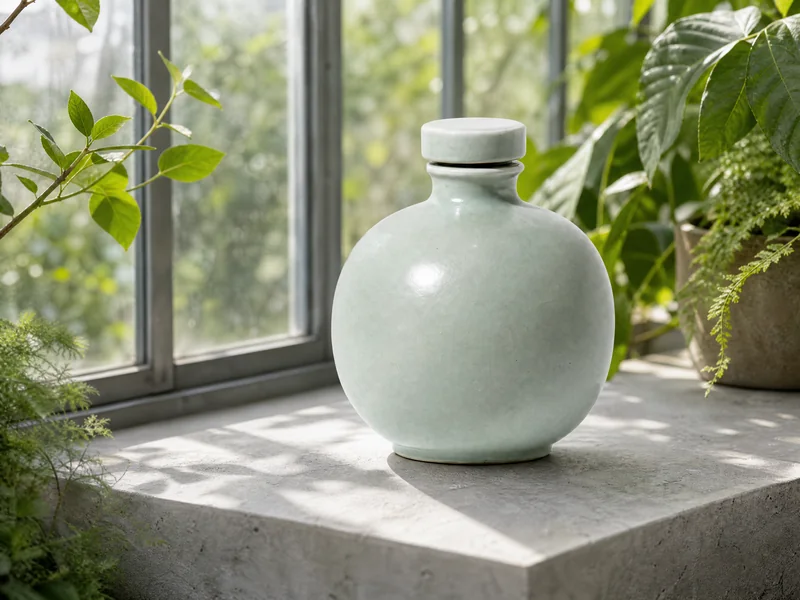
The same pale green ceramic bottle on a stone shelf in a sunlit greenhouse
Result

Same Product, New Setting · GPT Image 2 · 2K · 4:3
Precise Local Edits

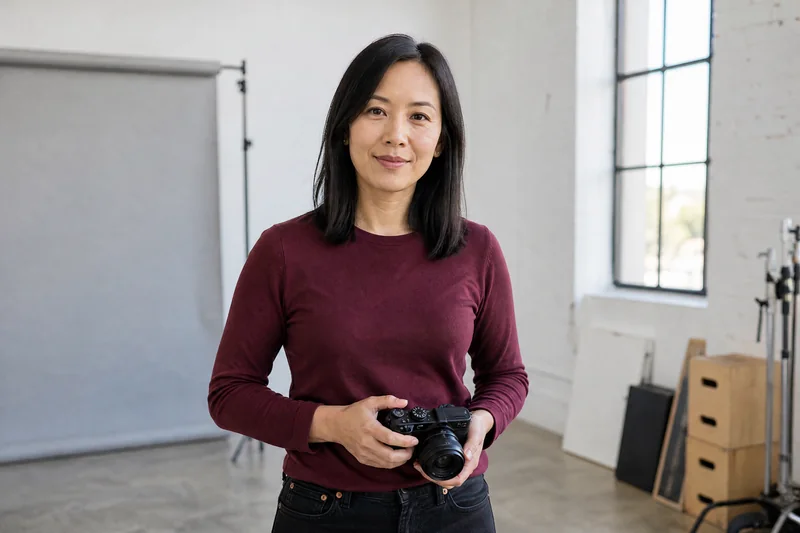
Describe one change and the details to leave alone. GPT Image 2.5 is positioned for more precise edits, from a background or lighting change to a focused object replacement.

Sunburst is the better fit when the same image needs deliberate follow-up passes rather than a single quick variation.

Original GPT Image 2 image for portrait background change
Reference
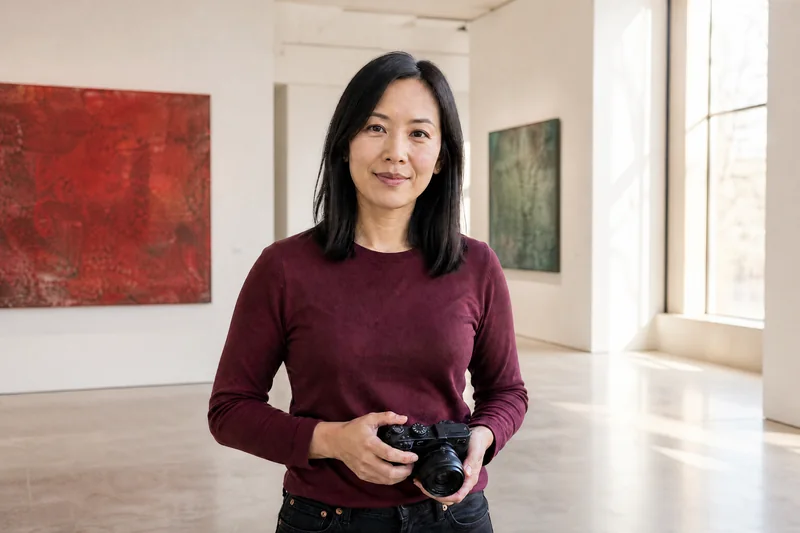
Woman holding a camera with her studio background changed to an art gallery
Result

Portrait Background Change · GPT Image 2 · 2K · 3:2

Complex Visual Instructions

Layered briefs can combine labels, relationships and layout instructions in one image. Use this for diagrams, transparent-background compositions and UI or dashboard mockups.

State the hierarchy and exact wording in the prompt, then review small labels in the result before publishing.

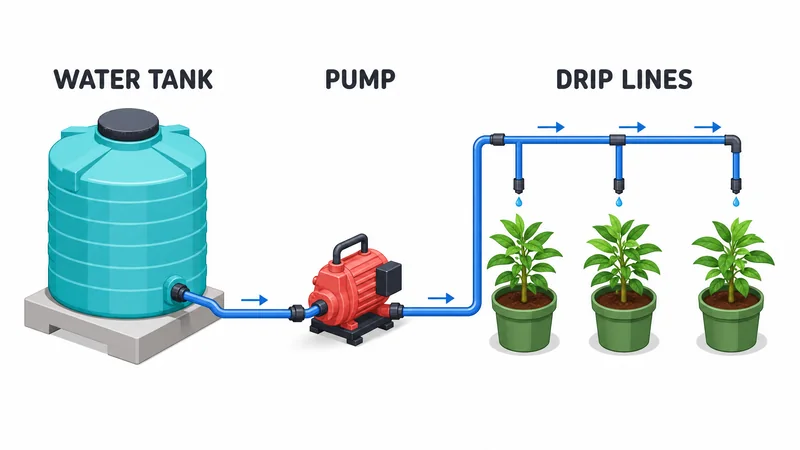
Water tank, pump and drip lines connected to three potted plants

Greenhouse Watering Diagram · GPT Image 2 · 2K · 16:9

Readable In-Image Text

Short headlines, labels and product copy can be part of the generated composition instead of being added after generation.

Keep exact text concise and use this workflow for product ads, editorial layouts and structured posters that need a clear visual hierarchy.

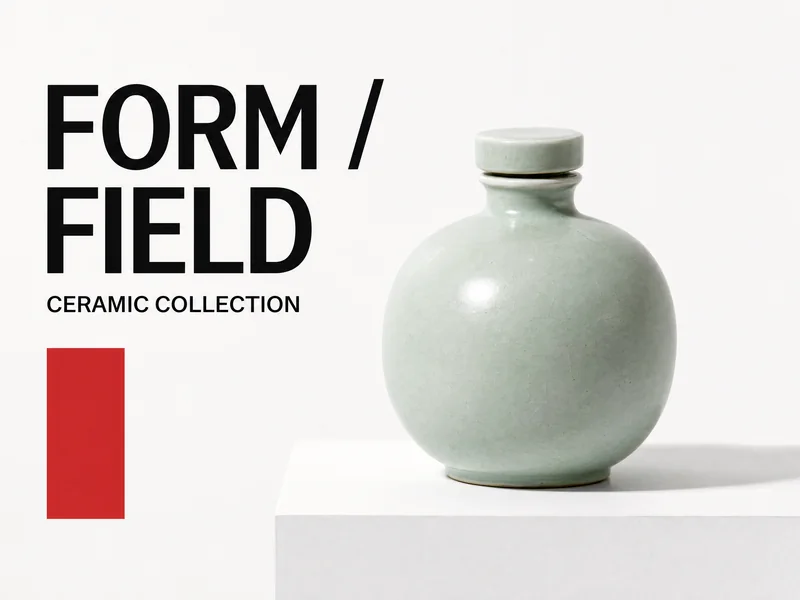
FORM / FIELD poster with a pale green ceramic bottle and a clear headline

Ceramic Product Poster · GPT Image 2 · 2K · 4:3

GPT Image 2.5 Use Cases

Start with the kind of image you need, then describe what should stay the same and what should change.

FORM / FIELD poster with a pale green ceramic bottle and a clear headline

Product Ads and Launch Visuals

Create product posters, launch graphics, and social visuals from a short brief. Add a reference image when the product needs to stay recognizable.

Ceramic Product Poster · GPT Image 2

The same pale green ceramic bottle on a stone shelf in a sunlit greenhouse

Reference Image Edits

Upload an image and describe the change you want, such as a new background, lighting, or setting. Call out the subject details you want to preserve.

Same Product, New Setting · GPT Image 2

Water tank, pump and drip lines connected to three potted plants

Diagrams and Structured Posters

Turn a structured idea into a labeled diagram or a poster with a clear visual hierarchy. Keep labels short and check small text before sharing.

Greenhouse Watering Diagram · GPT Image 2

Flare vs. Sunburst

Both variants accept text and image inputs and expose the same current EaseGen resolution and reference capacity. Choose by workflow: Flare for fast everyday iteration, Sunburst for precision-focused editing.

VariantBest FitReference ImagesResolution2K Credits
GPT Image 2.5 FlareEveryday image creation, quick concepts and routine editsUp to 161K / 2K / 4K30No Membership Required
GPT Image 2.5 SunburstDetail-critical edits and multi-round visual refinementUp to 161K / 2K / 4K30No Membership Required

Credits are per 2K image on EaseGen. The current 2K rate is the same for both variants.

GPT Image 2.5 vs. GPT Image 2

Choose GPT Image 2.5 when reference fidelity, precise edits, or multi-round work matter more than GPT Image 2's broader ratio set or lower current credit rate. OpenAI positions 2.5 at up to 50% lower latency with more reliable references and editing control. On EaseGen, both expose 1K, 2K, 4K output and up to 16 reference images.

ModelBest FitReference ImagesResolution2K Credits
GPT Image 2.5 (Flare / Sunburst)Choose Flare for everyday iteration or Sunburst for precision-focused, multi-round edits.Up to 161K / 2K / 4K30
GPT Image 2Choose it when you need broader ratios such as 3:1 or 1:3, or when the lower current credit rate matters.Up to 161K / 2K / 4K15

Credits are per 2K image on EaseGen. OpenAI GPT Image 2.5 announcement covers the model-family differences; ratio and credit values reflect the current EaseGen generator configuration.

GPT Image 2.5 Prompt Examples

Try these prompts for product posters, new settings and background changes. The example images were generated with GPT Image 2.

Ceramic Product Poster

Text to Image · GPT Image 2 · 2K · 4:3 · PNG

Create a finished landscape 4:3 editorial product poster, full artwork visible edge to edge, no mockup or frame. Show one complete sculptural pale celadon ceramic bottle with a rounded body, short neck and matching circular stopper, on a white plinth. The entire bottle and stopper must be visible with generous safe margins. Large crisp black typography on the left reads exactly "FORM / FIELD" over two lines, and one smaller line reads exactly "CERAMIC COLLECTION". No other text. Professional graphic composition, white background, one restrained red rectangular accent, photographic ceramic texture and soft natural shadow, elegant contemporary product advertising. No real brands, logos, watermark or interface.

FORM / FIELD poster with a pale green ceramic bottle and a clear headline

Same Product, New Setting

Image to Image · GPT Image 2 · 2K · 4:3 · PNG

Edit the provided product poster into a clean product photograph. Preserve the exact same pale celadon ceramic bottle, rounded body, short neck, circular stopper, proportions, glaze color and camera angle. Remove all typography, the red graphic accent and white plinth. Place the complete bottle on a light gray stone shelf inside a sunlit greenhouse with green leaves and clear glass panels softly in the background. Keep the bottle at the same scale, entirely visible with generous margins. Realistic soft daylight, detailed ceramic glaze, natural contact shadow. No new products, no lettering, no logos, no watermark.

Original GPT Image 2 image for same product, new setting
Reference
The same pale green ceramic bottle on a stone shelf in a sunlit greenhouse
Result

Greenhouse Watering Diagram

Text to Image · GPT Image 2 · 2K · 16:9 · PNG

Create a finished landscape 16:9 educational illustration of a simple greenhouse drip irrigation system, full system visible with generous margins. Three clear components arranged from left to right: a turquoise water tank, a small coral red pump, and three green potted plants. A single visible continuous blue pipe runs from the tank through the pump to drip outlets above each pot, with small blue arrows showing water flow toward the plants. Put exactly three large readable labels above the components: "WATER TANK", "PUMP", "DRIP LINES". Clean white background, precise friendly isometric illustration, balanced spacing, dark charcoal lettering, clear simple relationships, no other text. No dashboard, no UI, no logos, no watermark.

Water tank, pump and drip lines connected to three potted plants

Portrait Background Change

Image to Image · GPT Image 2 · 2K · 3:2 · PNG

Edit the uploaded photograph. Change only the background to a bright contemporary art gallery with white walls, two abstract red and green paintings, a pale polished floor and soft afternoon window light. Preserve the exact same woman, face, dark shoulder-length hair, expression, burgundy shirt, pose, both hands and compact black camera. Keep her at the same scale and position, same camera angle, full head and both hands visible. Match the ambient lighting naturally while retaining the original face and clothing. Realistic editorial photograph, no new people, no text, no logos, no watermark.

Original GPT Image 2 image for portrait background change
Reference
Woman holding a camera with her studio background changed to an art gallery
Result

How to Create Images with GPT Image 2.5 on EaseGen

  1. Step 1

    Choose a Variant

    Start with Flare for everyday generation or choose Sunburst for controlled revisions. You can create one free 1K text-to-image result without signing up; the trial is shared with GPT Image 2.

  2. Step 2

    Write a visual brief

    Use Text to Image for a new scene, or Image to Image to add references. Describe the subject, layout, changes and details to preserve.

  3. Step 3

    Set Output and Generate

    Choose a supported ratio and 1K for the free trial, then generate and download the result. Sign in and use account credits for further generations, reference edits or 2K and 4K output.

GPT Image 2.5 FAQ

Which GPT Image 2.5 variant should I choose?

Choose GPT Image 2.5 Flare for everyday image generation and quick iterations. Choose GPT Image 2.5 Sunburst when precise edits and multi-round control matter more than a general-purpose starting point.

Can I Try GPT Image 2.5 Online for Free?

Yes. EaseGen lets you generate one free 1K text-to-image result with GPT Image 2.5 without signing up. Each IP and browser gets one trial shared across GPT Image 2, GPT Image 2.5 Flare and Sunburst. Once used, sign in and use account credits to continue. Reference edits and higher resolutions also require sign-in and credits.

Can GPT Image 2.5 edit a reference image?

Yes. On EaseGen, both variants support text-to-image and image-to-image workflows. Upload a reference, describe what should change, and state which subject details must remain.

What resolutions and reference capacity are available?

The current EaseGen configuration offers 1K, 2K and 4K output and up to 16 reference images for each GPT Image 2.5 variant. The exact ratio choices are shown in the generator.

How many credits does GPT Image 2.5 use?

The single anonymous 1K text-to-image trial is free. For signed-in generation, each variant currently costs 18 credits at 1K, 30 credits at 2K and 48 credits at 4K on EaseGen. Account credits are used for both new images and edits.

What should I check before publishing text in an image?

Review spelling, numbers, labels and brand wording in the generated result. Keep exact text concise and use a dedicated design editor when the final layout needs production typography.

Explore More Image Models

GPT Image 2

Use the earlier GPT Image family page for briefs that fit its current ratios and reference workflow.

Nano Banana 2.1

Choose it when an extreme 4:1 or 8:1 composition is central to the brief.

AI Image Generator

Compare the full set of image models and start with the mode that matches your input.

Create with GPT Image 2.5