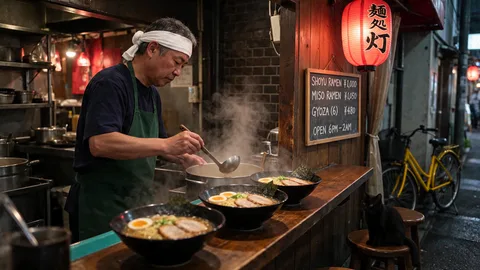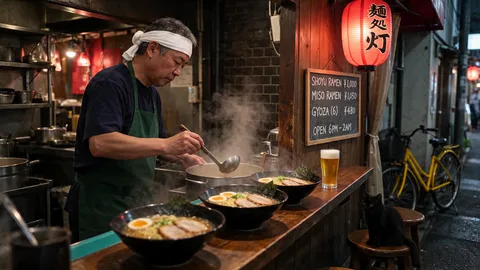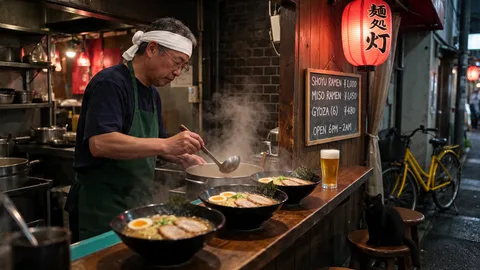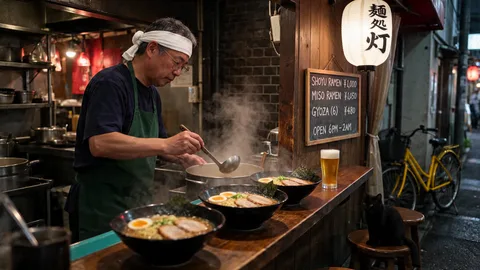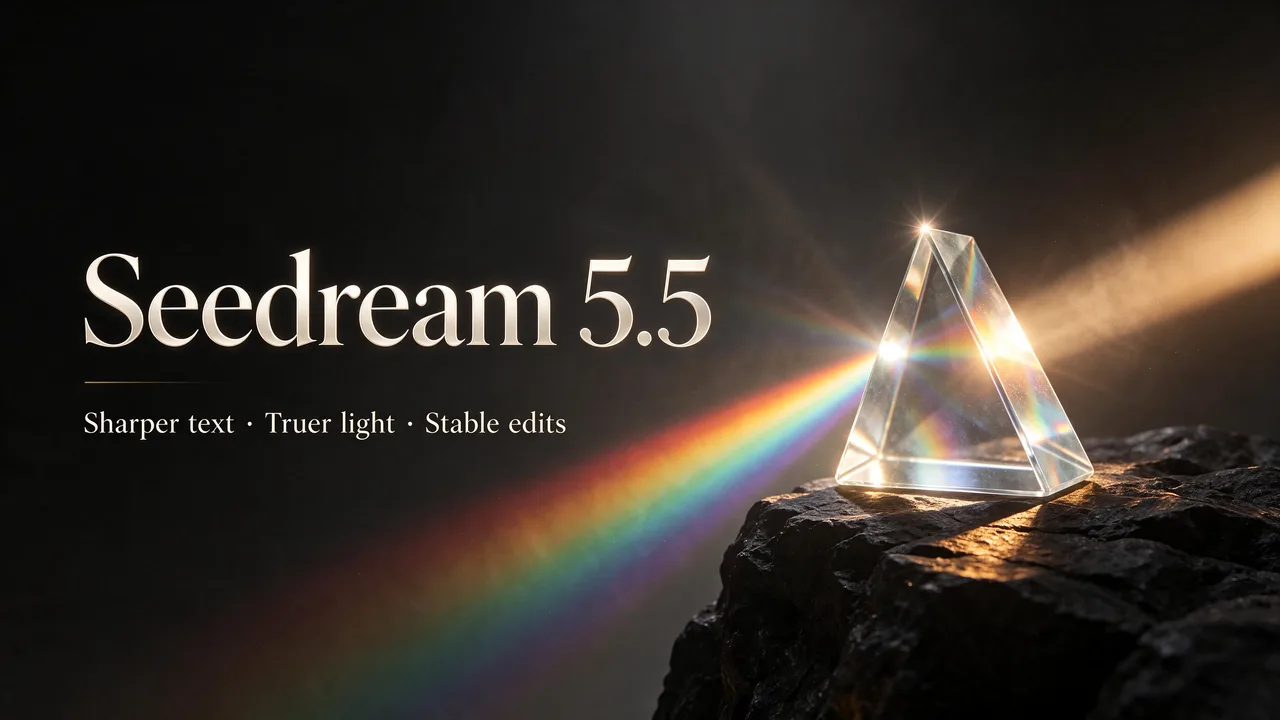
Seedream 5.5 Free Online, No Sign Up

Create and edit images with ByteDance's newest Seedream model: crisp small text, natural light and edits that leave the rest untouched. Your first image is free without an account, then 8 credits per image.

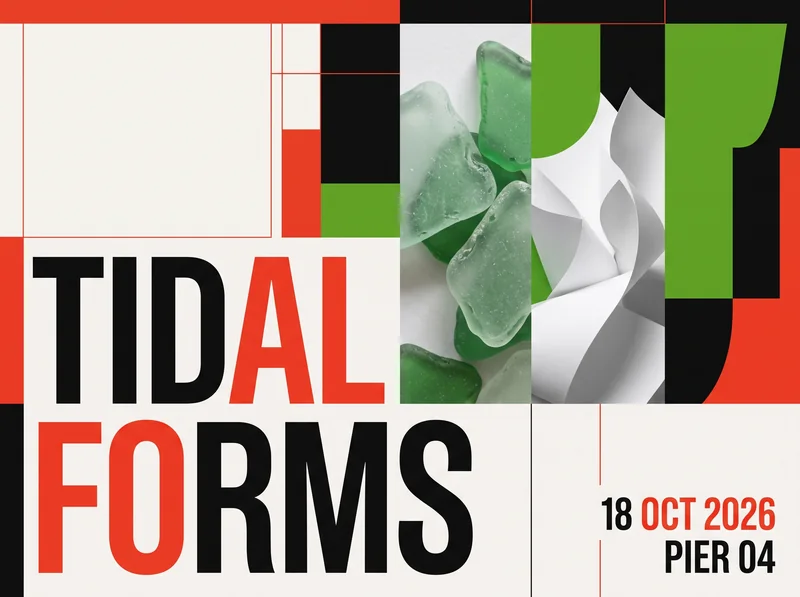
Seedream 5.5 launch poster with a glass prism, generated on EaseGen

Start with one free image. No sign up required.

What Is Seedream 5.5?

Seedream 5.5 is ByteDance Seed's image generation and editing model, released on November 9, 2026. On EaseGen you can create images from text or edit up to 10 reference images at 1K, 1.5K or 2K, and your first image is free without signing up. It runs in the browser, so you don't have to wait for an app to roll it out in your country; some apps still list the US as unavailable.

ByteDance built 5.5 around three upgrades over Seedream 5.0 Pro: text that stays readable down to small print, lighting and skin that look closer to a real photo, and edits that change only what you ask for across many rounds. In ByteDance's own tests, severe text errors fell to 0.4% of images and minor ones to 1.7%.

Read ByteDance Seed's Seedream 5.5 announcement

Seedream 5.5 Prompt Examples

Real Seedream 5.5 results generated on EaseGen on November 18, 2026. Copy a prompt and replace the words in quotes with your own.

Small Text, Every Line Exact

A premium dark slate menu board photographed in a moody cafe, warm spotlight from above. Elegant cream lettering. Title at the top reads exactly "Seedream 5.5 Café". Below, a two-column list with prices, each line exactly: "Espresso 3.20", "Flat White 4.50", "Cardamom Latte 5.10", "Matcha Tonic 5.40", "Almond Croissant 3.90", "Basque Cheesecake 6.20". Small footer text reads exactly "Open daily 7:00 – 19:00 · Oat milk +0.60". Crisp, evenly spaced, perfectly legible small text, realistic chalk texture, dark tones, no other text, no logos.
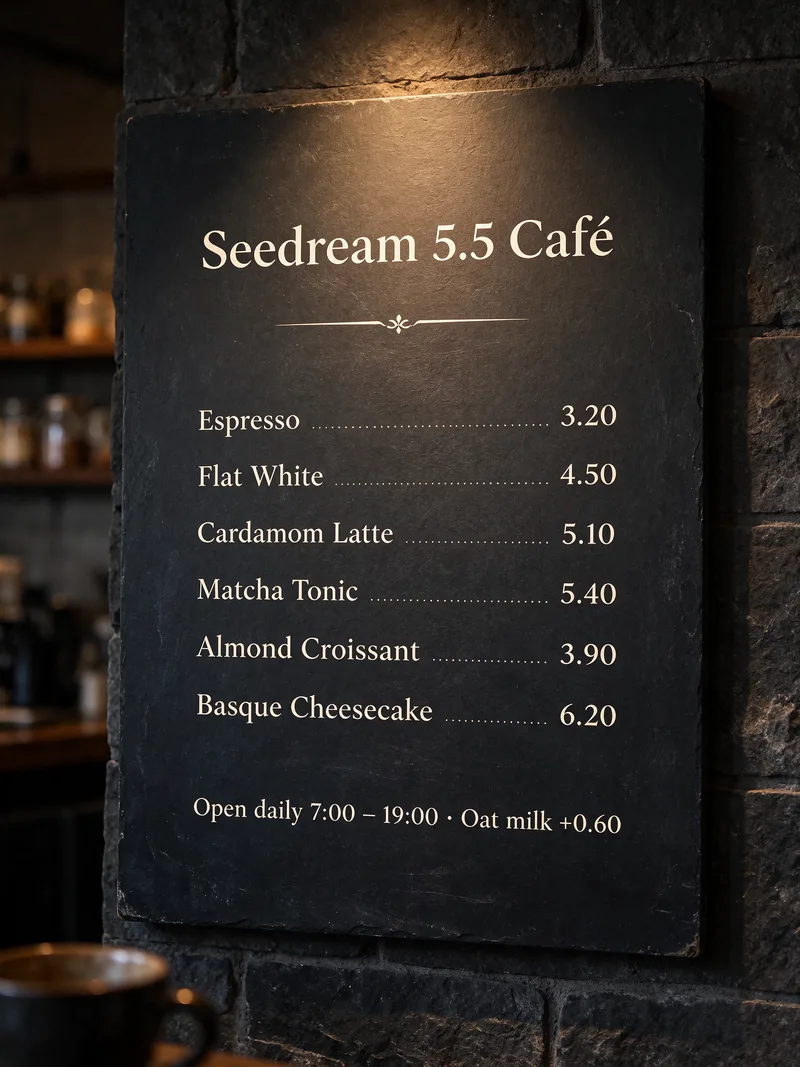
Dark slate cafe menu with six items and prices rendered exactly by Seedream 5.5
Text to Image · 3:4 · 2K · 13 credits. All eight lines matched the prompt.

Chinese and English on One Poster

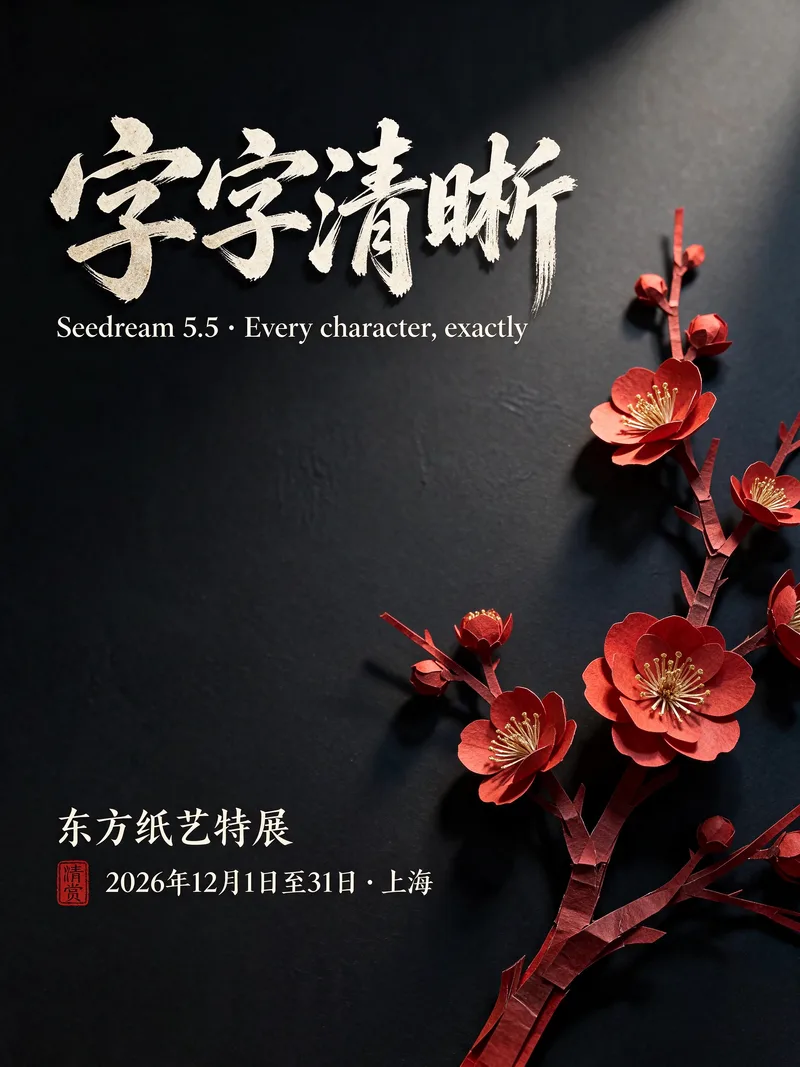
A refined dark bilingual exhibition poster. Deep ink-black background with a single red paper-cut plum blossom branch on the right, soft gallery light. Large Chinese headline in elegant calligraphic brush style reads exactly "字字清晰". English subtitle reads exactly "Seedream 5.5 · Every character, exactly". Two lines of small Chinese text at the bottom read exactly "东方纸艺特展" and "2026年12月1日至31日 · 上海". Crisp legible Chinese and English lettering, balanced layout, low-key tones, no other text, no logos.
Black and red bilingual poster with Chinese calligraphy and English subtitle by Seedream 5.5
Text to Image · 3:4 · 2K · 13 credits. Headline, subtitle and both small Chinese lines matched; the model added a small red seal.

Portrait With Real Skin Texture

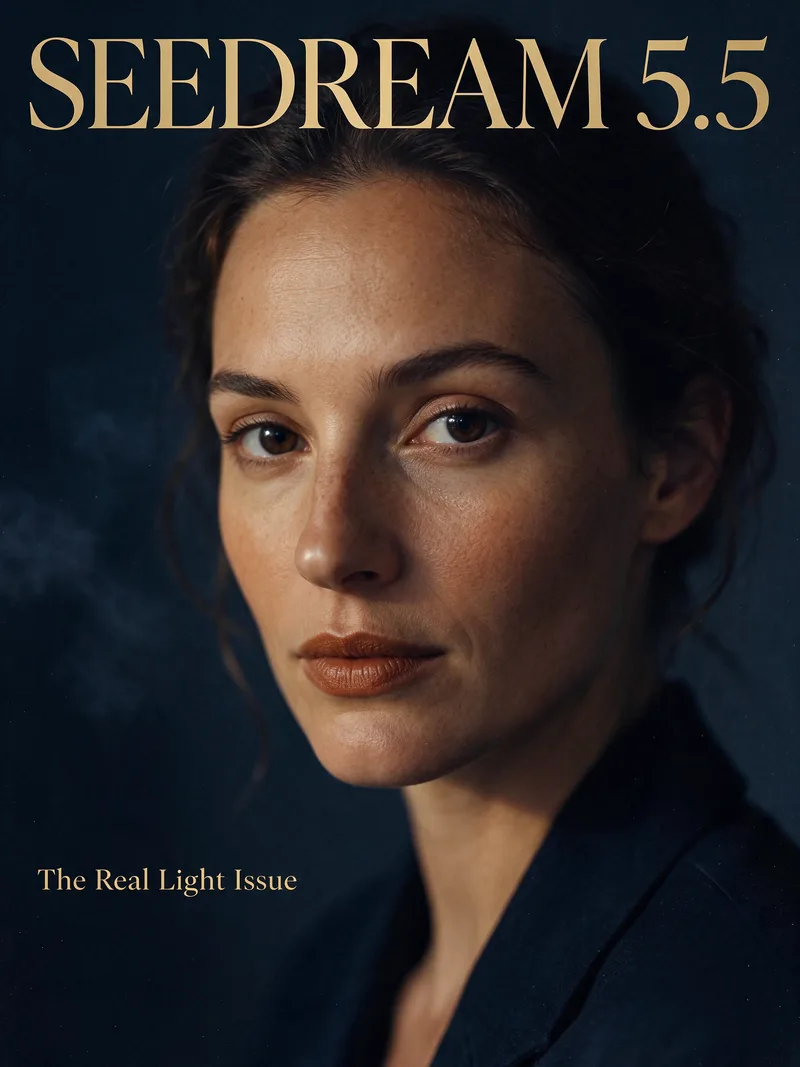
Dark editorial magazine cover. Close-up portrait of a woman in her thirties with natural skin texture, visible pores and light freckles, lit by a single warm window light against a deep navy shadow background, calm direct gaze, subtle film grain. Large masthead at the top reads exactly "SEEDREAM 5.5". A small cover line at the bottom left reads exactly "The Real Light Issue". Elegant magazine typography, realistic photo, low-key tones, no other text, no logos.
Low-key magazine cover portrait with natural skin texture and the masthead Seedream 5.5
Text to Image · 3:4 · 2K · 13 credits.

Product Shot With True Materials

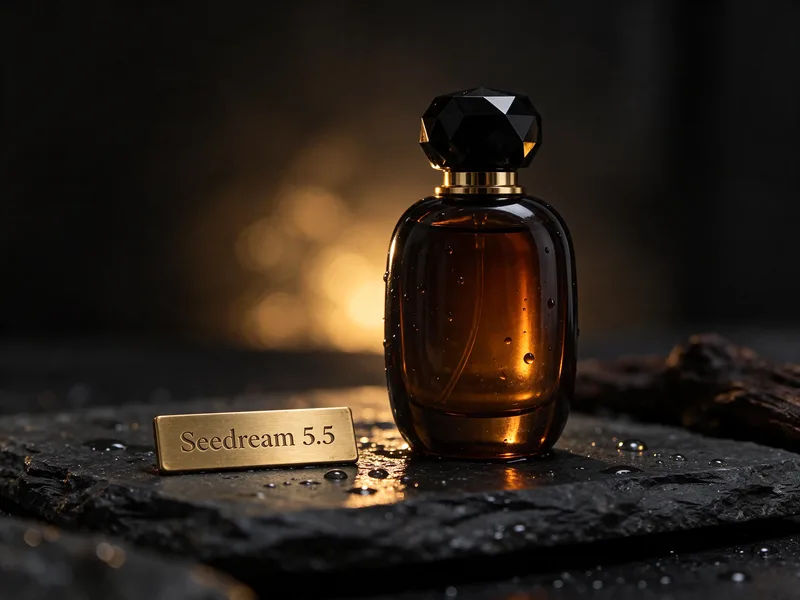
Luxury low-key product photograph. An amber glass perfume bottle with a faceted black cap stands on wet black slate, tiny water droplets on the glass, a soft golden rim light from behind and deep shadows. In front of the bottle rests a small brushed-brass plaque engraved with exactly "Seedream 5.5" in clean serif letters. Realistic reflections, true material textures, shallow depth of field, dark charcoal background, no other text, no logos.
Amber perfume bottle on wet slate with a brass plaque engraved Seedream 5.5
Text to Image · 4:3 · 2K · 13 credits.

Change One Thing, Keep the Rest

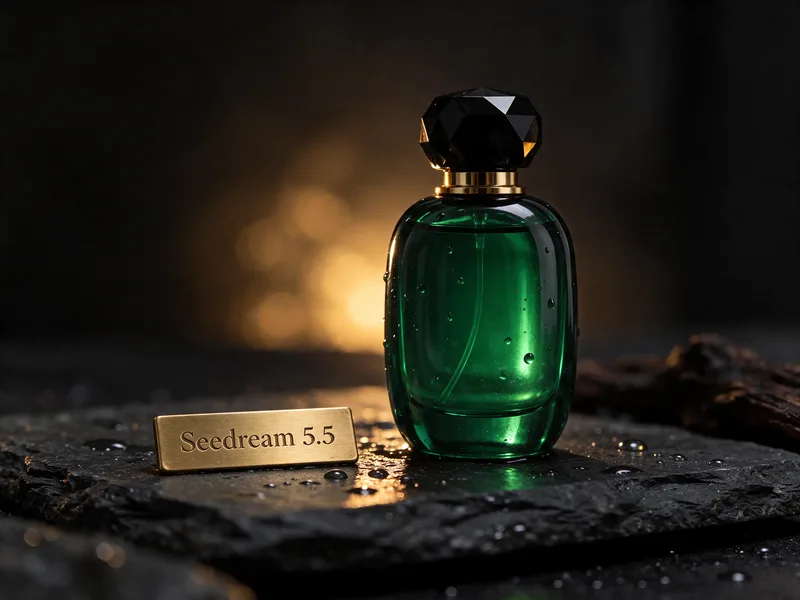
Change only the perfume: make the glass and the liquid a deep emerald green. Keep everything else exactly the same, including the brass plaque and its "Seedream 5.5" engraving, the black cap, the wet slate, the water droplets, the golden rim light and the composition.

The product shot above was the reference image for this edit.

The same perfume shot edited to emerald green glass with the plaque, slate and light unchanged
Image to Image · 4:3 · 2K · 21 credits (13 + 8 for the reference).

Transparent Sticker, No Cut-Out

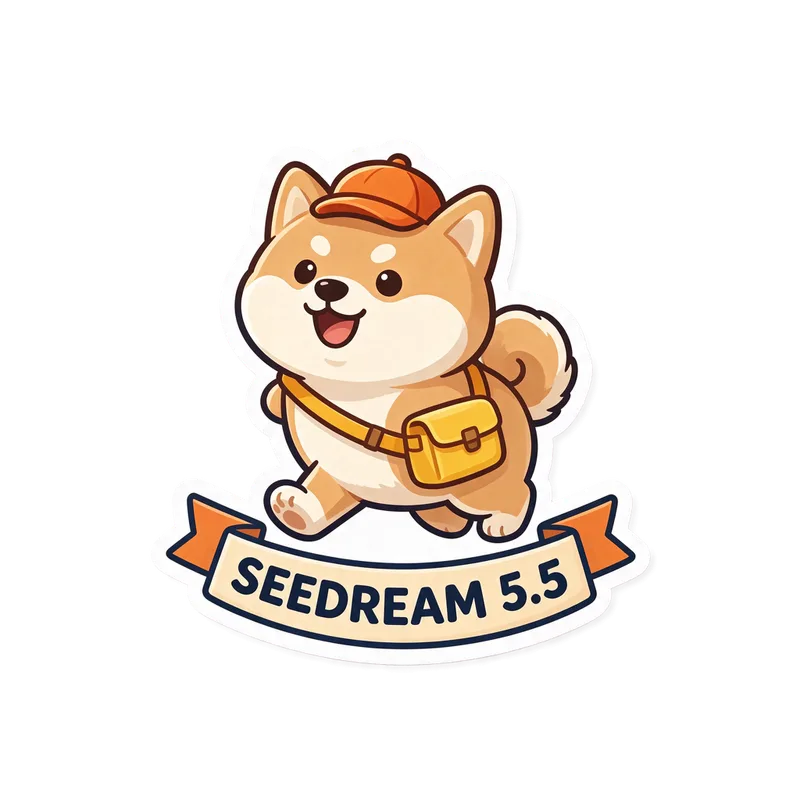
A die-cut sticker of a cheerful shiba inu wearing a tiny orange courier cap and a yellow messenger bag, mid-stride, with a thick white sticker border around the whole shape. Below the dog, a curved ribbon banner with the text "SEEDREAM 5.5" in bold dark-navy capitals. Flat vector illustration, clean outlines, soft cel shading. Only the sticker, nothing around it.

Shiba inu courier sticker with a SEEDREAM 5.5 banner on a transparent background
Text to Image · 1:1 · 1K · Transparent background on · 8 credits. 72% of the pixels came back fully transparent, with soft edges around the white border.

Transparent Glass and Smoke

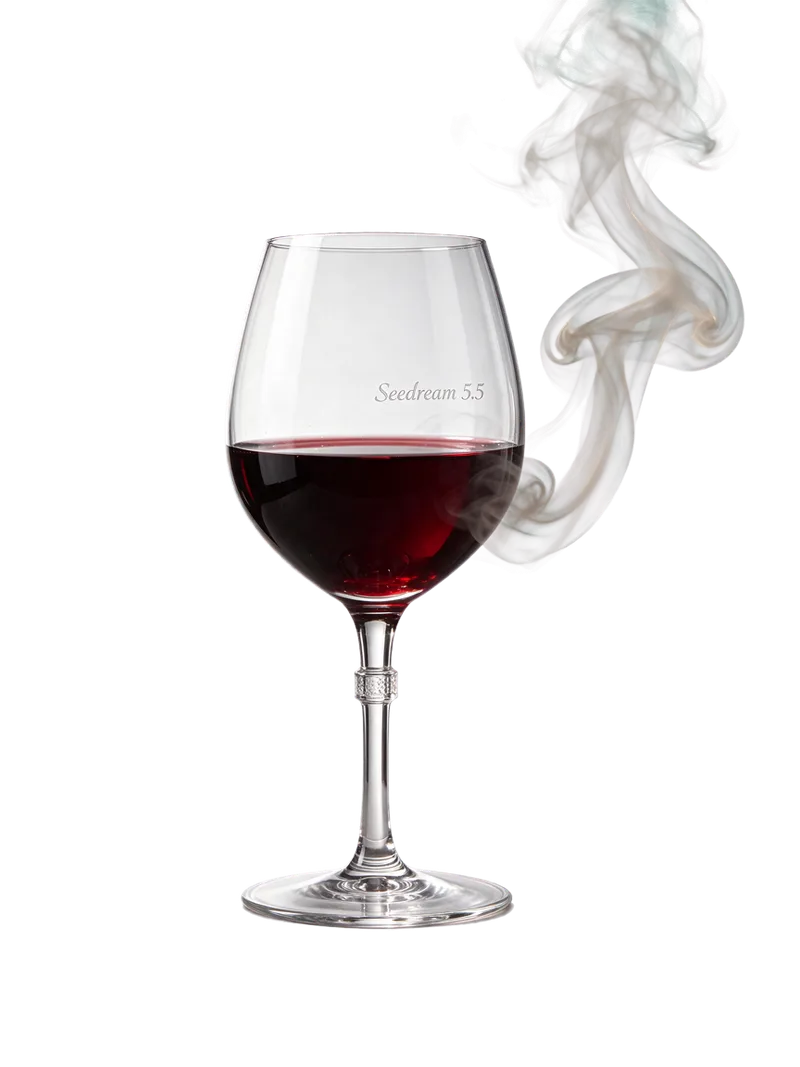
A clear crystal wine glass half filled with red wine, a thin wisp of smoke curling up beside it, product cut-out. The empty upper part of the glass is see-through. Engraved on the glass in small elegant letters: "Seedream 5.5". Studio lighting, sharp edges, only the glass and the smoke.

Red wine glass engraved Seedream 5.5 with a wisp of smoke on a transparent background
Text to Image · 3:4 · 1K · Transparent background on · 8 credits. The smoke came back see-through (average opacity about 12%), but the empty top of the glass stayed almost solid (about 99%), so clear glass shows a pale fill instead of what is behind it.

Seedream 5.5 vs GPT Image 2.6 vs Nano Banana 2.1: Same Prompt Test

On November 18, 2026 we ran two long prompts, each with more than ten requirements you can check, through all three models on EaseGen: same prompt, 16:9, 2K, one run per model, no retries and no picking.

Photoreal Night Scene With Menu Text

Prompt used for all three models

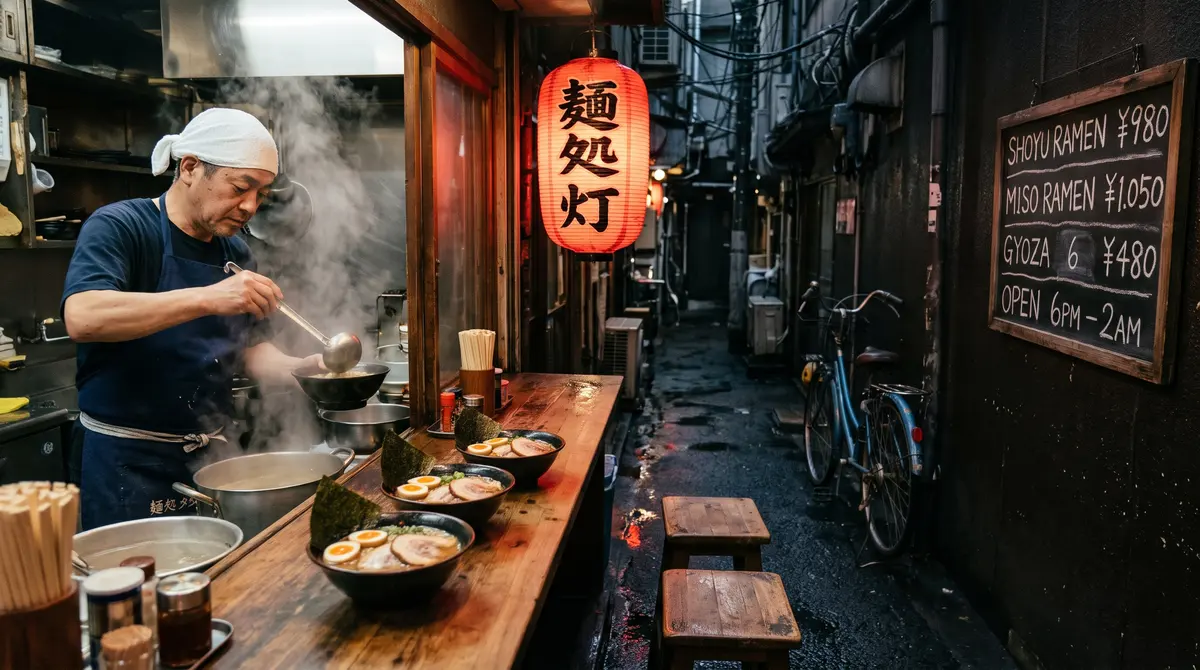
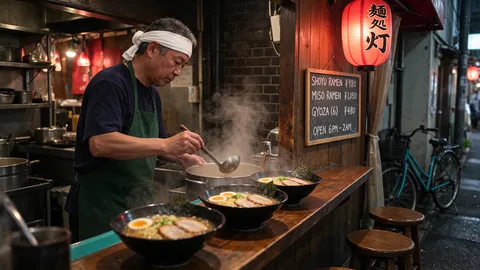
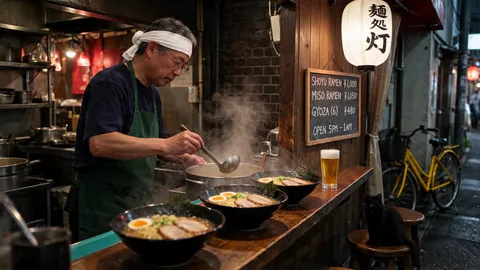
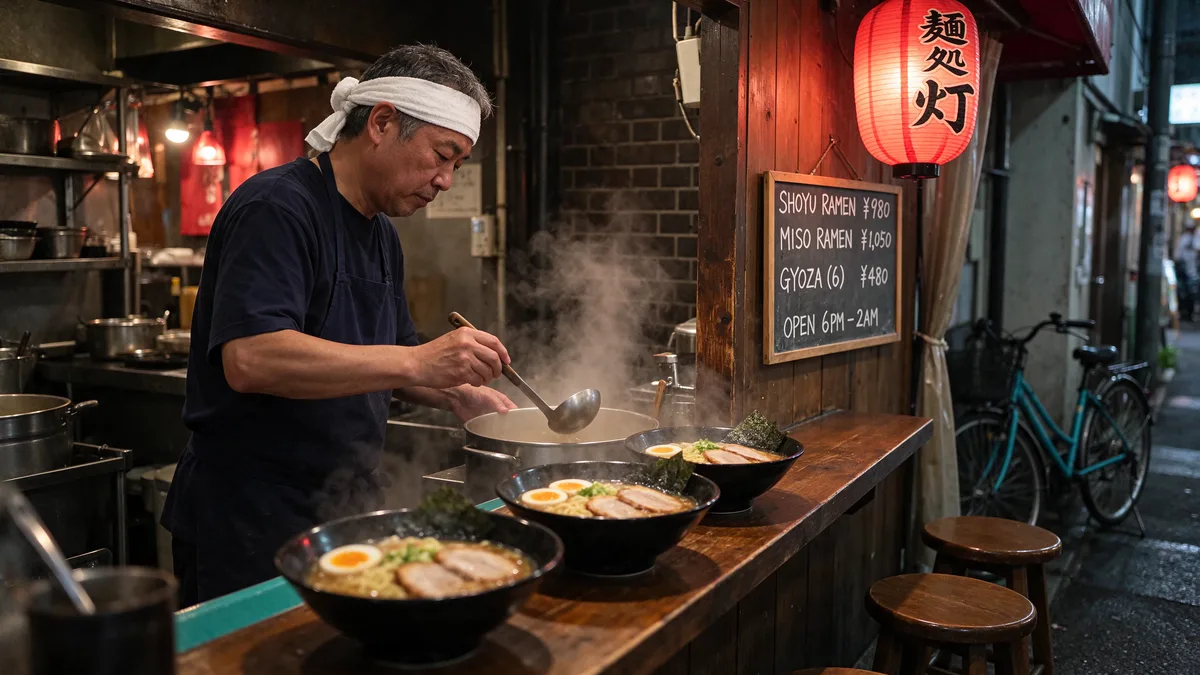
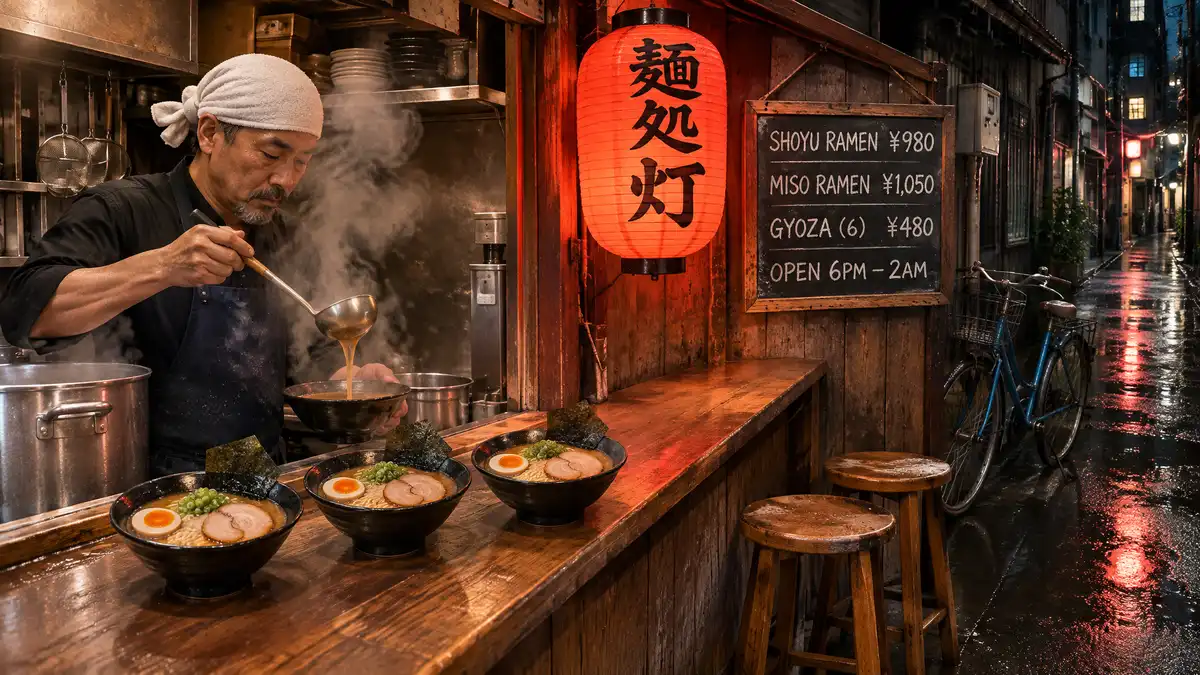
Photorealistic night photo of a tiny ramen stall in a Tokyo back alley after rain, shot on a 35mm lens at eye level, 16:9. On the left, a middle-aged chef with a white towel tied around his head and a navy apron ladles broth into a black bowl; steam rises past his face. On the wooden counter in front of him sit exactly three bowls of ramen, each with one halved soft-boiled egg, two slices of chashu and one sheet of nori. On the right wall hangs a wooden menu board with exactly four lines in white chalk: "SHOYU RAMEN ¥980", "MISO RAMEN ¥1,050", "GYOZA (6) ¥480", "OPEN 6PM – 2AM". A red paper lantern hangs above the counter with the characters "麺処 灯" in black brush strokes. Two empty wooden stools stand at the right end of the counter, and a blue bicycle leans against the wall behind them. The wet asphalt in the foreground reflects the lantern's red glow. Natural skin texture with visible pores, no beauty filter, light film grain. No other people, no extra text, no watermark.

Seedream 5.5 result: Tokyo ramen stall at night with chef, three bowls, chalk menu and red lantern
Seedream 5.513 credits · about 33 s · 2816 × 1584
GPT Image 2.6 Sunburst result for the same ramen stall prompt
GPT Image 2.6 Sunburst48 credits · about 41 s · 2048 × 1152
Nano Banana 2.1 result for the same ramen stall prompt
Nano Banana 2.113 credits · about 51 s · 2752 × 1536
RequirementSeedream 5.5GPT Image 2.6 SunburstNano Banana 2.1
Chef on the left, white head towel, navy apronYesYesYes
Ladles broth into a black bowlNo, into a steel potYesYes
Exactly three bowls on the counterYesYesYes
All four menu lines exactYesYesNo: "GYOZA 6", "6pm"
Lantern reads 麺処 灯YesYesYes
Two stools, blue bicycle behind themYes (teal-blue bicycle)YesYes
Red glow reflected on wet asphaltFaintYesYes
No other people, no extra textNo: a blurred passer-by far backYesNo: text on the apron

Character Design Sheet

Prompt used for all three models

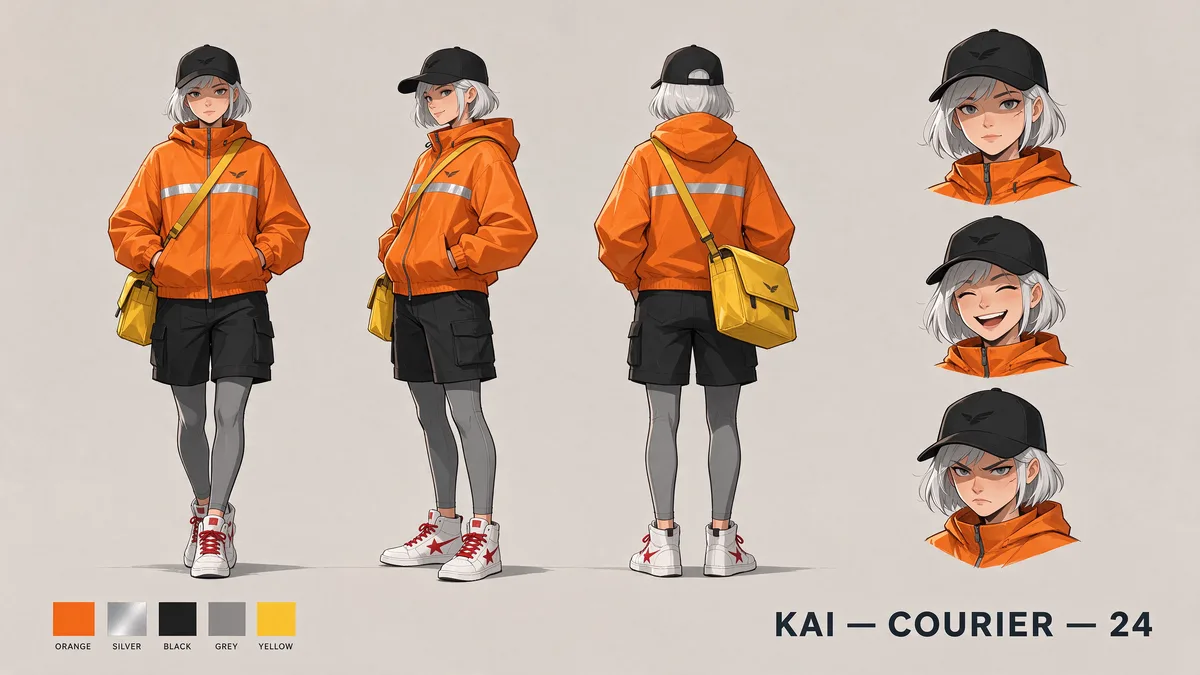
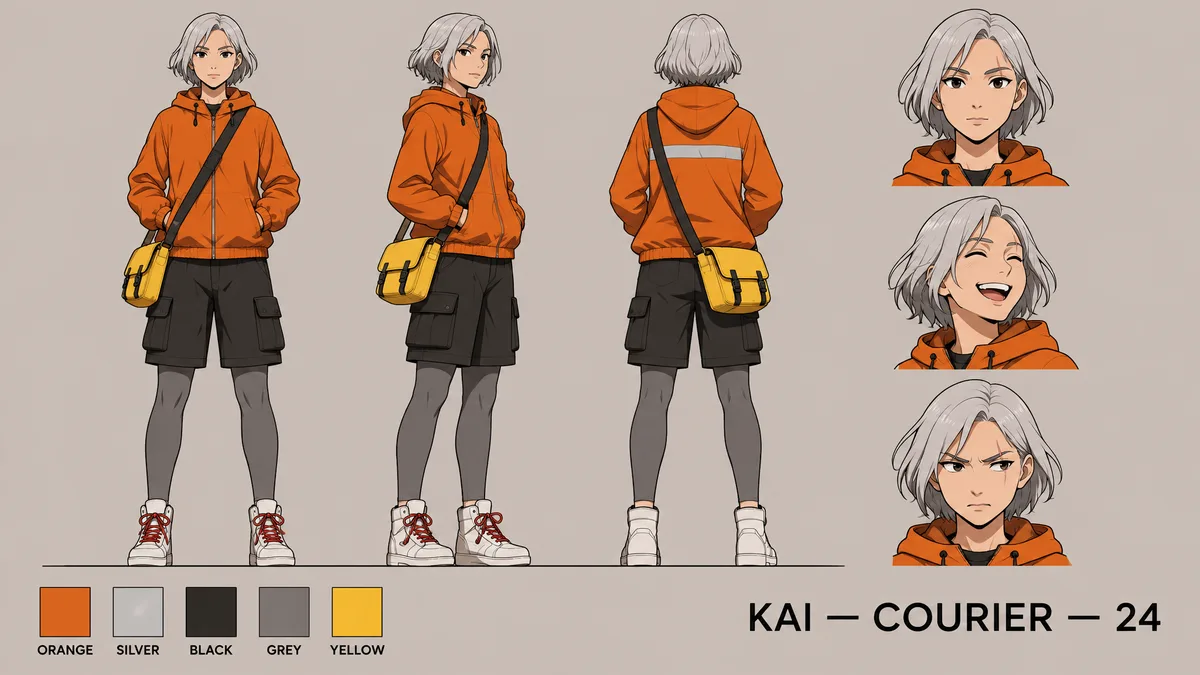
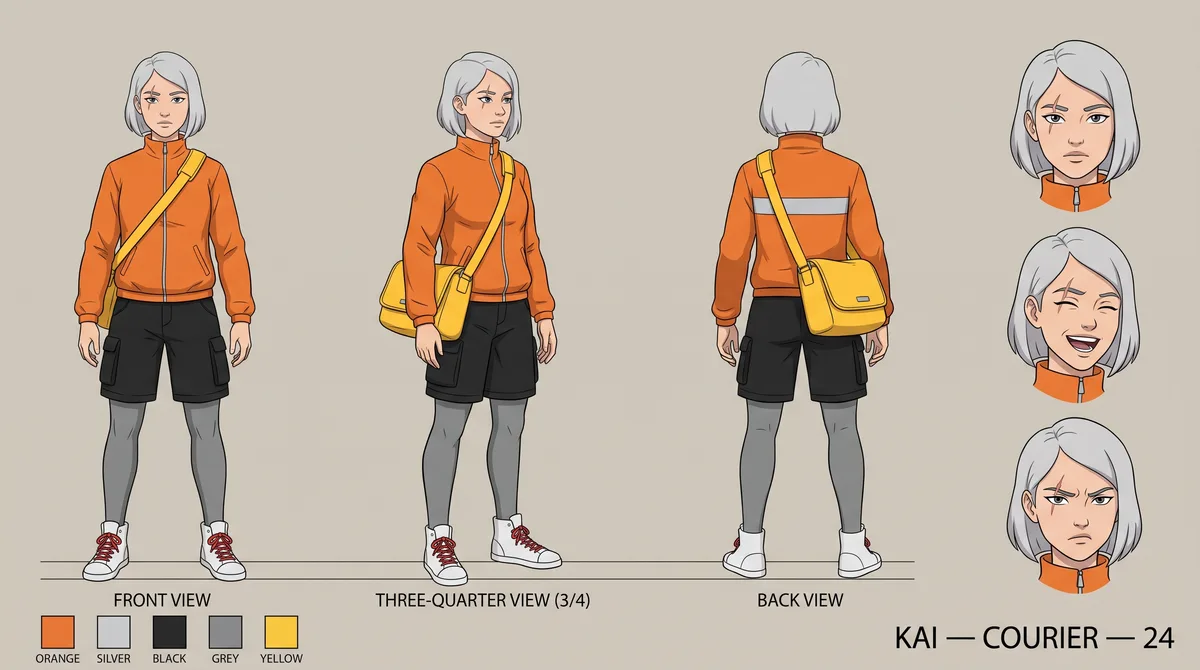
Character design sheet on a flat, warm light-grey background, 16:9. The same character appears three times at the same scale with her feet on one shared baseline: front view, three-quarter view and back view. Character: a 24-year-old bicycle courier with a short silver bob, a small scar through her LEFT eyebrow, an orange windbreaker with one horizontal reflective silver stripe across the back, black cargo shorts over grey leggings, a yellow messenger bag worn on her RIGHT hip, and white high-top sneakers with red laces. To the right of the three views, a vertical column of three head close-ups showing calm, laughing and annoyed expressions. Along the bottom left, exactly five square colour swatches labelled "ORANGE", "SILVER", "BLACK", "GREY", "YELLOW". Title at the bottom right in clean sans-serif capitals: "KAI — COURIER — 24". Clean line art with flat cel shading. No other characters, no extra text, no watermark.

Seedream 5.5 result: courier character sheet with front, three-quarter and back views, three expressions and five swatches
Seedream 5.513 credits · about 24 s · 2816 × 1584
GPT Image 2.6 Sunburst result for the same character sheet prompt
GPT Image 2.6 Sunburst48 credits · about 39 s · 2048 × 1152
Nano Banana 2.1 result for the same character sheet prompt
Nano Banana 2.113 credits · about 66 s · 2752 × 1536
RequirementSeedream 5.5GPT Image 2.6 SunburstNano Banana 2.1
Three views, same scale, one baselineYesYesYes
Scar through her left eyebrowPartly: left side, on the cheekYesNo: right eyebrow
Reflective stripe across the backYes, plus one on the frontYesYes
Yellow bag on her right hip in every viewYesYesYes
Cargo shorts over grey leggings, red lacesYesYesYes
Calm, laughing and annoyed close-upsYesYesYes
Five swatch labels and the title exactYesYesYes
Nothing addedNo: added a black capYes (a hoodie, not a windbreaker)No: added view labels

GPT Image 2.6 Sunburst followed the most requirements in both tests, at 48 credits per 2K image. Seedream 5.5 got every word of text right, kept left and right straight, finished first and returned the largest image, at 13 credits; it missed small scene details such as the black bowl and added a cap nobody asked for. Nano Banana 2.1 costs the same as Seedream 5.5 but dropped characters from the menu and put the scar on the wrong side. Two prompts are a small sample, so run your own prompt on all three from the same generator. Times were read every 5 seconds. Compare Nano Banana 2.1 vs Pro.

How to Write Prompts for Seedream 5.5

  • Name what must be visible. In our test Seedream 5.5 skipped details the prompt only implied, like the black bowl, so say the object, its colour and where it sits.
  • Give counts and sides in plain words ("exactly three bowls", "on her right hip"). It kept left and right straight for us, but counts and pointing arrows are where creators most often report misses.
  • For camera terms such as POV or over-the-shoulder, describe what the camera actually sees, for example "her hands hold the cup at the bottom of the frame".
  • For a person, use a sharp, front-facing reference photo and keep the same one for every scene. Reddit users most often report eyes, face shape and hair colour drifting with side views, low-resolution references and new scenes.
  • If results look too perfect, ask for real camera flaws: a phone snapshot, uneven light, visible pores, light grain, no beauty filter. Our ramen prompt used those words and the chef's skin came out natural.
  • Write every word of text in quotes. All the quoted text in our tests came out exact.
  • For edits, change one thing per round and say what must stay. That is where Seedream 5.5 held up best.

10 Rounds of Edits on One Image

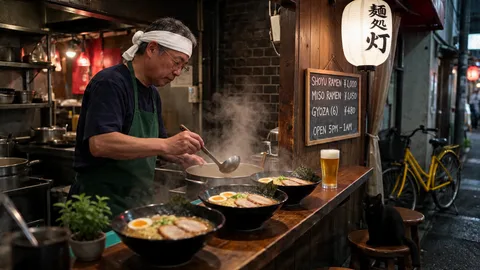
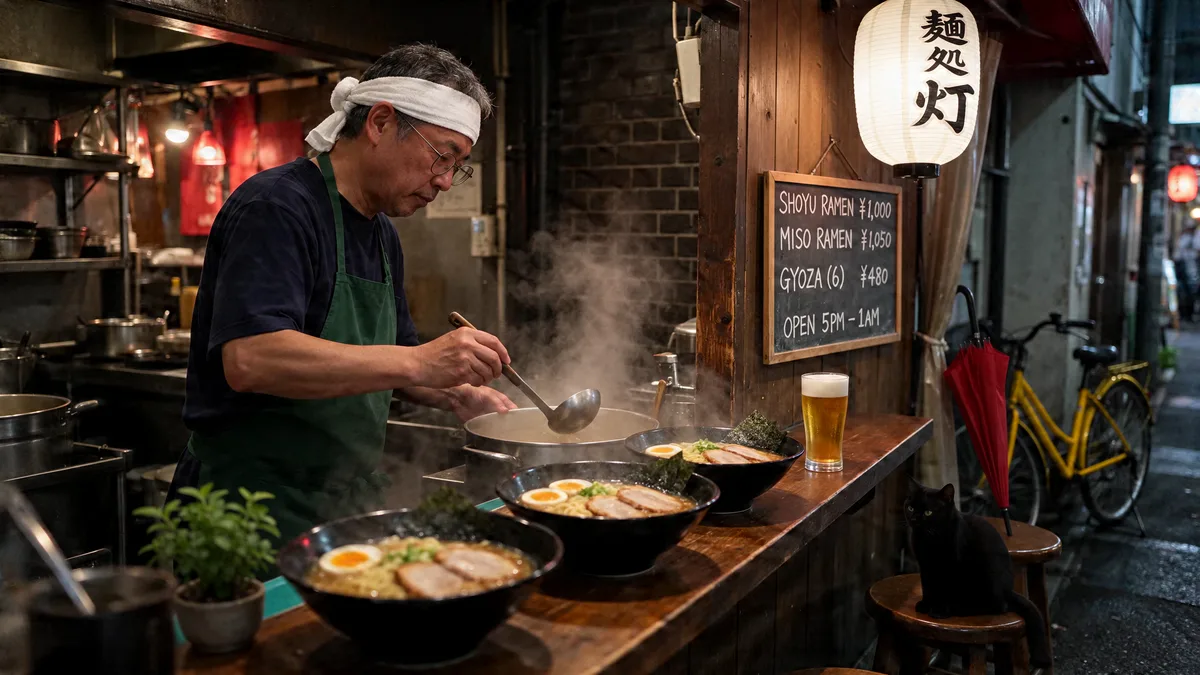
Starting from the Seedream 5.5 ramen stall above, we made ten edits in a row, each one on the previous result and each changing one thing. Image to Image · 16:9 · 1.5K · 16 credits per round (8 plus 8 for the reference image).

Round 0: the original Seedream 5.5 ramen stall image
Original
Round 10: the same ramen stall after ten Seedream 5.5 edits, with green apron, yellow bicycle, cat, beer, glasses, white lantern, plant and red umbrella
After 10 edits
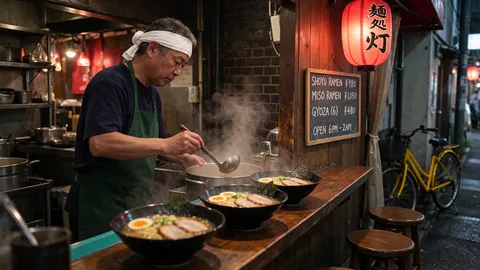
  1. Round 1: Change the chef's apron from navy to dark green. Keep everything else exactly the same.

    Round 1 · 27 s

    Change the chef's apron from navy to dark green. Keep everything else exactly the same.

  2. Round 2: Change the bicycle from blue to yellow. Keep everything else exactly the same.

    Round 2 · 23 s

    Change the bicycle from blue to yellow. Keep everything else exactly the same.

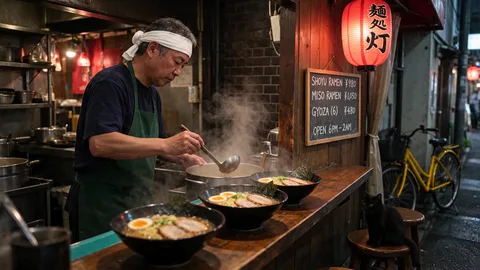
  3. Round 3: Add a black cat sitting on the wooden stool closest to the bicycle. Keep everything else exactly the same.

    Round 3 · 22 s

    Add a black cat sitting on the wooden stool closest to the bicycle. Keep everything else exactly the same.

  4. Round 4: On the menu board, change the line "SHOYU RAMEN ¥980" to "SHOYU RAMEN ¥1,000". Keep every other line and everything else exactly the same.

    Round 4 · 21 s

    On the menu board, change the line "SHOYU RAMEN ¥980" to "SHOYU RAMEN ¥1,000". Keep every other line and everything else exactly the same.

  5. Round 5: Add a tall glass of beer on the counter to the right of the ramen bowls. Keep everything else exactly the same.

    Round 5 · 27 s

    Add a tall glass of beer on the counter to the right of the ramen bowls. Keep everything else exactly the same.

  6. Round 6: Give the chef thin, round wire-framed glasses. Keep his face and everything else exactly the same.

    Round 6 · 37 s

    Give the chef thin, round wire-framed glasses. Keep his face and everything else exactly the same.

  7. Round 7: Change the paper lantern from red to white, keeping the black characters "麺処 灯" on it. Keep everything else exactly the same.

    Round 7 · 28 s

    Change the paper lantern from red to white, keeping the black characters "麺処 灯" on it. Keep everything else exactly the same.

  8. Round 8: On the menu board, change the line "OPEN 6PM – 2AM" to "OPEN 5PM – 1AM". Keep every other line and everything else exactly the same.

    Round 8 · 28 s

    On the menu board, change the line "OPEN 6PM – 2AM" to "OPEN 5PM – 1AM". Keep every other line and everything else exactly the same.

  9. Round 9: Add a small potted green plant at the left end of the counter. Keep everything else exactly the same.

    Round 9 · 27 s

    Add a small potted green plant at the left end of the counter. Keep everything else exactly the same.

  10. Round 10: Lean a closed red umbrella against the wall next to the bicycle. Keep everything else exactly the same.

    Round 10 · 27 s

    Lean a closed red umbrella against the wall next to the bicycle. Keep everything else exactly the same.

  • All ten changes landed, including both menu edits: the board ends at "SHOYU RAMEN ¥1,000" and "OPEN 5PM – 1AM" with the other lines untouched.
  • The chef's face and pose, the bowls, the kitchen and the steam stayed in place for all ten rounds.
  • In areas no edit touched (kitchen shelves, brick wall, front bowl), the average pixel difference from the original grew from about 1 to about 5 on a 0–255 scale: roughly 2% after ten rounds, building up slowly with no sudden jump.
  • Each round took 21 to 37 seconds. At 1.5K the edits came back at 2048 × 1152, so the first round also scaled down the 2816 × 1584 original.

What's New in Seedream 5.5

The upgrades ByteDance highlights, and how they show up when you use Seedream 5.5 on EaseGen.

Text You Can Read, Even in Small Print

Menus, price lists, packaging and bilingual posters come out spelled the way you typed them. Put every line in quotes in your prompt. In our menu test below, all six items, prices and the footer line came back exactly as written.

Edits That Leave the Rest Alone

Seedream 5.5 is trained to keep unedited areas pixel-stable, and ByteDance demonstrates up to 100 rounds of edits on one image. Upload your image, name the one thing to change and list what must stay the same.

Light, Skin and Materials That Look Photographed

ByteDance reports fewer glossy, overexposed or blotchy results than 5.0 Pro, with an image-to-image realism gain of 55.62% in its comparison. Portraits keep pores and freckles; glass, metal and stone keep their texture.

Ten References, Three Sizes, Transparent PNG

Combine up to 10 reference images for a product, character or style, and choose 1K, 1.5K or 2K. Eight aspect ratios cover square posts, 16:9 banners, 3:4 posters and 21:9 headers, and one switch gives you a transparent PNG.

How to Create Images with Seedream 5.5 on EaseGen

  1. Step 1

    Pick Text or a Reference

    Choose Text to Image to start from a prompt, or Image to Image to upload up to 10 references such as a product, a face or a style.

  2. Step 2

    Write Exact Text in Quotes

    Describe the subject, light and layout, and put every word that should appear in quotes. For edits, name the one change and list what must stay the same.

  3. Step 3

    Choose Size and Generate

    Pick an aspect ratio and 1K, 1.5K or 2K, then generate. Results arrive in about 20 to 40 seconds; download them or keep editing the result.

Seedream 5.5 vs. Seedream 5.0 Pro and 5.0 Lite

Settings and prices on EaseGen today; upgrade notes from ByteDance.

On EaseGenSeedream 5.5Seedream 5.0 ProSeedream 5.0 Lite
Reference imagesUp to 10Up to 10Up to 14
Resolution1K / 1.5K / 2K1K / 2K1K / 2K / 4K
Credits per image8 at 1K–1.5K, 13 at 2K14 at 1K, 29 at 2K12
Who can use itEveryoneMembersEveryone
Text rendering0.4% severe text errors in ByteDance's testsHigher error rate than 5.5 per ByteDanceNot compared by ByteDance
Choose it forExact text, realism and step-by-step editsAn established 5.0 Pro workflowMany references or 4K output

Seedream 5.5 vs. GPT Image 2.6 and Nano Banana 2.1

Settings and prices on EaseGen, plus what we measured in the same-prompt test above (16:9, 2K).

On EaseGenSeedream 5.5GPT Image 2.6 SunburstNano Banana 2.1
Reference imagesUp to 10Up to 16Up to 10
Resolution options1K / 1.5K / 2K1K / 2K / 4K1K / 2K / 4K
Measured 16:9 output at 2K2816 × 15842048 × 11522752 × 1536
Credits at 1K / 2K8 / 1324 / 488 / 13
Time per 2K image in our testAbout 24–33 sAbout 39–41 sAbout 51–66 s
Choose it forExact text, long edit chains, low costFollowing every small scene detail4K output at a low price

Seedream 5.5 Output Sizes on EaseGen

Pixel sizes of the images we generated on November 18, 2026, so you know what you get before you spend credits.

SettingOutput sizeCredits
1K · 3:4864 × 11528
2K · 16:92816 × 158413
2K · 4:32368 × 177613
2K · 3:41776 × 236813
Each reference image (Image to Image)—+8

Seedream 5.5 FAQ

Can I generate Seedream 5.5 images free with no sign up?+

Yes, your first Seedream 5.5 image on EaseGen is free with no sign up, as long as your browser and network have not already used EaseGen's free image. After that, sign in: new accounts get 20 credits, and each image costs 8 credits at 1K or 1.5K and 13 at 2K.

When was Seedream 5.5 released?+

ByteDance Seed released Seedream 5.5 on November 9, 2026. It has been available on EaseGen since November 18, 2026.

Is there a Seedream 5.5 Pro?+

Not yet. ByteDance says a Pro version of the Seedream 5.5 series will follow but has not given a date. Today's Seedream 5.5 already succeeds Seedream 5.0 Pro.

What is better in Seedream 5.5 than Seedream 5.0 Pro?+

ByteDance reports cleaner text, more natural light and skin, and more stable multi-round edits, with better scores than 5.0 Pro in all six of its production use cases. On EaseGen, 5.5 also costs less (8 credits at 1K versus 14) and is open to everyone.

How many edits can Seedream 5.5 take before the image drifts?+

In our test on EaseGen, ten edits in a row on one image kept the face, the bowls and the background in place, and both menu text edits came out exact. Areas no edit touched changed by about 2% on average after ten rounds. ByteDance demonstrates up to 100 rounds; check each round before building on it.

Can Seedream 5.5 make transparent PNGs on EaseGen?+

Yes. Turn on Transparent background in the output settings and Seedream 5.5 returns a PNG with no background, ready for stickers, logos and product cut-outs. In our tests a sticker came back with clean transparent edges and smoke stayed see-through, but the inside of a clear wine glass came back almost solid, so plan to add glassware over its final background.

Is Seedream 5.5 better than GPT Image 2.6?+

It depends on the job. In our same-prompt test on EaseGen, GPT Image 2.6 Sunburst followed more of the small scene details, while Seedream 5.5 got every word of text right, finished faster, returned a larger 2K image and cost 13 credits instead of 48. Choose Seedream 5.5 for text-heavy images and long edit chains; choose GPT Image 2.6 when every small detail must match.

Is Seedream 5.5 available in the US?+

Yes, on EaseGen. Seedream 5.5 runs in your browser and EaseGen does not limit it by country, so you don't have to wait for an app's regional rollout. Some apps still list the US as unavailable.

How do I keep the same face from a reference photo in Seedream 5.5?+

Use a sharp, front-facing photo of one person and keep using it for every scene. Side views, low-resolution photos and big scene changes are where Reddit users most often see eyes, face shape or hair colour drift. Once you have an image you like, edit that image instead of starting over: in our 10-round edit test the chef's face stayed the same in every round.

How do I make Seedream 5.5 images look less like AI?+

Ask for the flaws a real camera has: a phone snapshot, uneven light, visible pores, light film grain and no beauty filter. Over-smooth, plastic-looking skin is one of the most common complaints on Reddit. Our ramen stall prompt used those words and the chef's skin came out natural.

Are my prompts and images sent to ByteDance when I use Seedream 5.5?+

When you generate, EaseGen sends your prompt, settings and images to the model provider that runs Seedream 5.5 for that request, and that provider handles them under its own terms. EaseGen does not use your content to train models. Details are in our Privacy Policy.

Animate any product shot, portrait, or starting frame by describing the camera motion and subject action you want. Image to Video

Make What You Imagine

Turn your ideas into images and videos in one creative workspace.

Generate with Seedream 5.5