Show Your Full Hairstyle & Hairline
Choose a photo where curls, braids, bangs, or hair length are clearly visible against a clean background—hair silhouette is the fastest cue viewers recognize in 2D cartoon form.
Turn one photo into an 11-second hand-drawn cartoon Vlogmas intro—walking into a cozy holiday vanity room with a "Welcome to Vlogmas" mirror reveal and original audio. Export a watermark-free 9:16 MP4.
Add one well-lit, front-facing photo of yourself, a friend, or a pet (JPEG, PNG, WebP, or BMP up to 20 MB). EaseGen re-illustrates your face, hair color, hairstyle, and glasses into the 2D hand-drawn cartoon look.
The full holiday walk-in, mirror close-up, festive lettering, and upbeat jazz audio are already built in. Pick 480p, 720p, or 1080p and review the exact credit cost upfront.
Click Generate to render your vertical 9:16 MP4 opener with synced sound, then drop it onto Day 1 through Day 25 of your TikTok, Instagram Reels, or YouTube Shorts Vlogmas series.
The cartoon Vlogmas intro trend is an 11-second holiday video opener where a whimsical 2D illustrated character in pink candy-cane pajamas walks across the frame, blows a kiss, gets ready at a Christmas vanity next to a decorated tree, and reveals "Welcome to Vlogmas" inside the mirror.
On EaseGen, uploading a single front-facing portrait transforms you into the matching hand-drawn cartoon inside the preloaded 9:16 holiday scene with original spoken greeting and jazz music—requiring sign-in and EaseGen credits starting at 192 for 480p (covering both automatic cartoon conversion and the 11-second holiday animation).
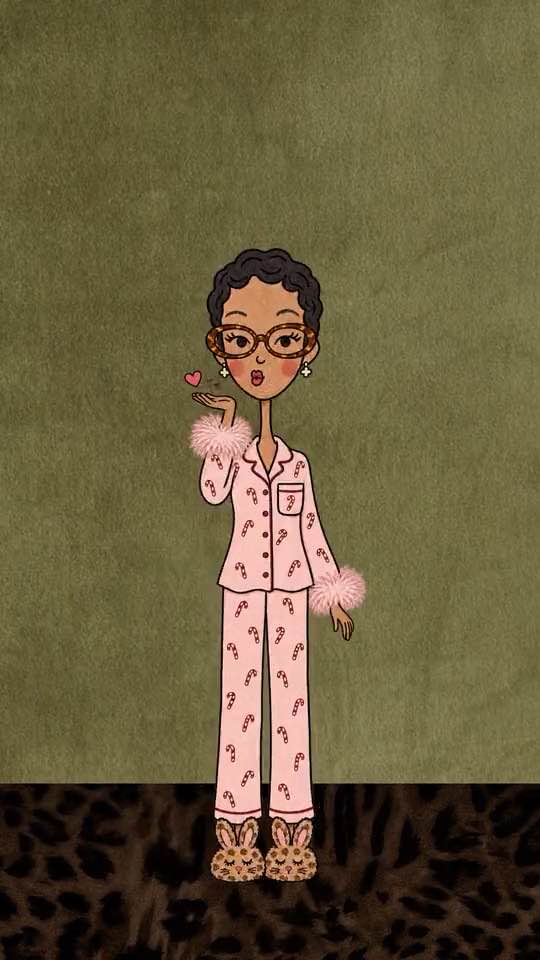
Tested on 2026-11-27 using the exact same front-facing portrait (Image 1), Vlogmas cartoon style frame (Image 2), and prompt at 1K (9:16) with zero retries. Compare how six image models balance hand-drawn 2D texture, facial likeness, and speed.
Image 1 · Real Photo
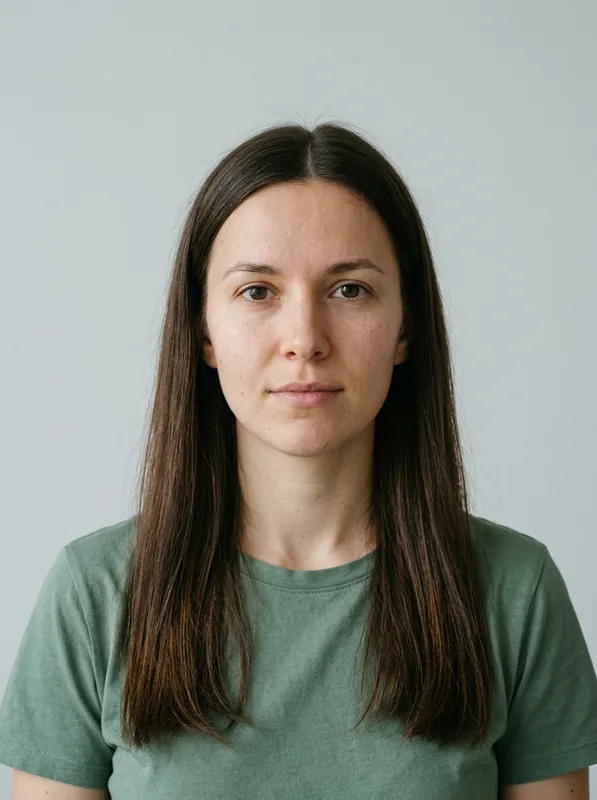
Image 2 · Style Frame
Exact Dual-Reference Prompt Sent to All 6 Models
Create a full-body 9:16 2D hand-drawn cartoon character portrait matching the exact whimsical illustration style, proportions, wobbly ink outlines, colored-pencil texture, pink candy-cane Christmas pajamas with fluffy pink cuffs, leopard-print bunny slippers, olive-green textured wall, and dark brown leopard-print carpet from Image 2. Use Image 1 as the SOLE authority for the person’s identity and appearance: copy the exact face shape, eyes, eyebrows, nose, mouth, skin tone, natural blush/freckles, hair color, hairstyle, hair length, and presence or absence of glasses from Image 1. Do NOT keep the short curly hair, glasses, earrings, skin tone, or facial features of the original cartoon character in Image 2 unless they actually appear in Image 1. Render the person from Image 1 standing centered facing forward with a relaxed, natural smile and arms relaxed at their sides (no kissing pose, no floating heart, no text, no watermark).
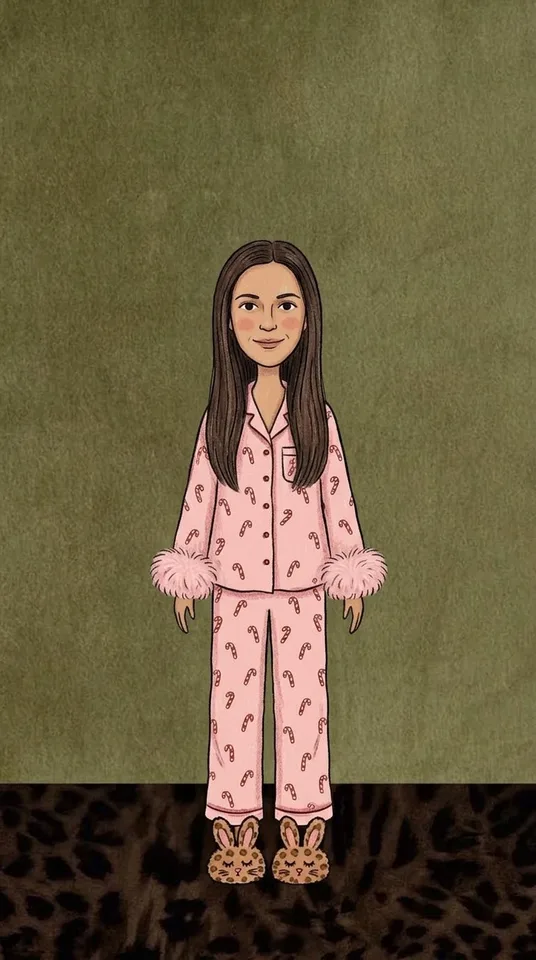
Clean, cohesive 2D ink and colored-pencil look with accurate wavy brown hair, steady facial identity, and zero pasted-photo contrast at low credit cost.
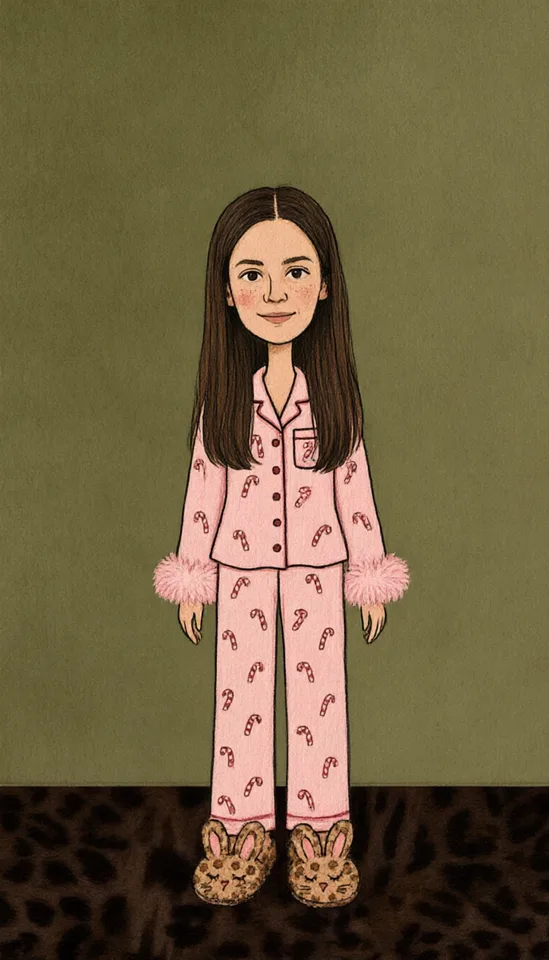
Strongest facial likeness inside a pure hand-drawn 2D finish, preserving subtle smile, nose, and freckle details without breaking ink line unity.
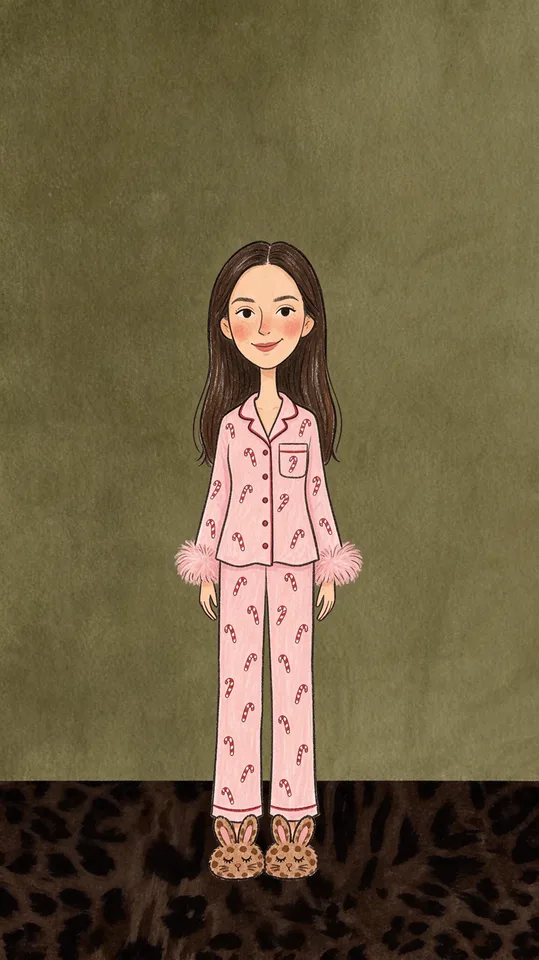
Fastest generation (23.5 s) and closest match to the original clip's exaggerated big-head, long-neck storybook proportions, though the face softens into a cuter stylized look.
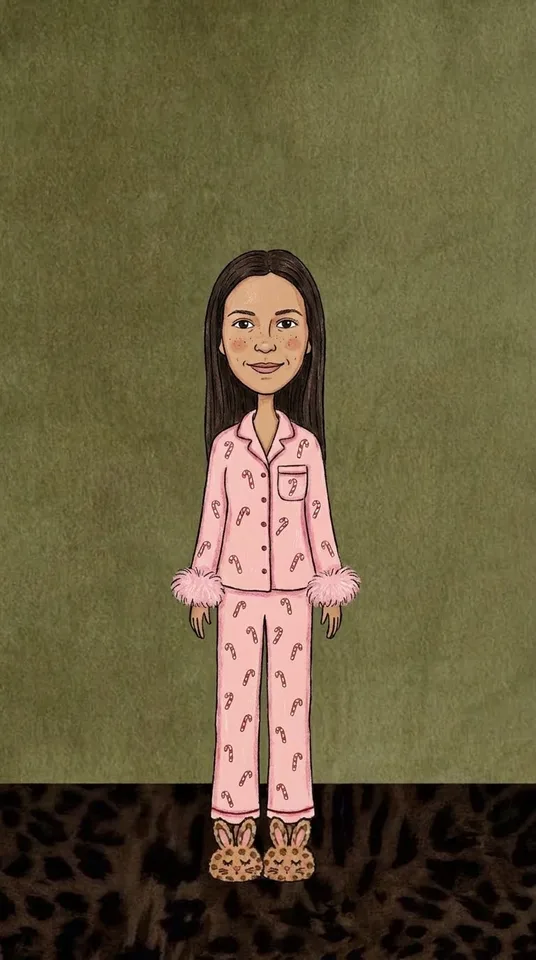
Faster than Nano Banana 2.1 with bold hand-drawn ink outlines and accurate pajama styling, though skin tone and jaw shading read slightly heavier.
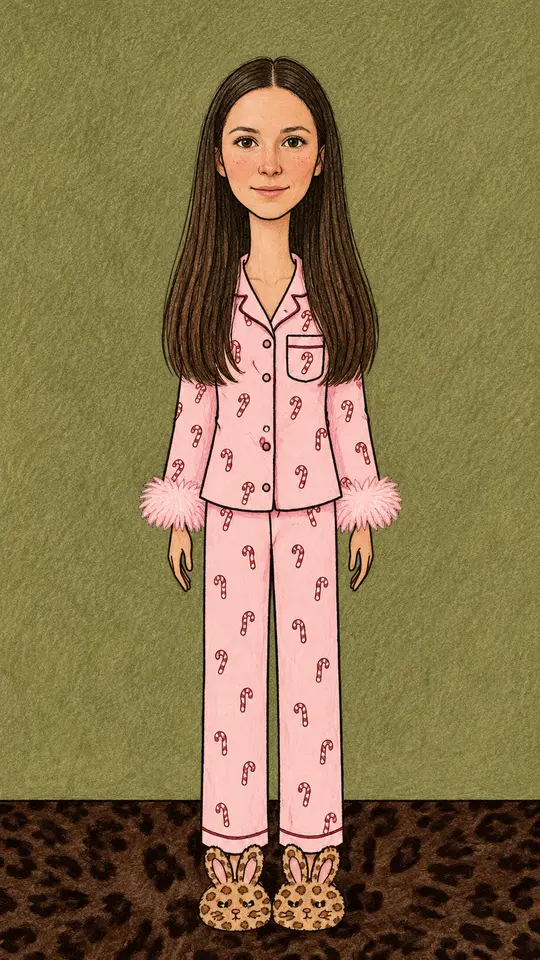
High facial recognition and crisp pajama details, but keeps semi-photorealistic skin shading on the face that contrasts against the flat 2D cartoon body.
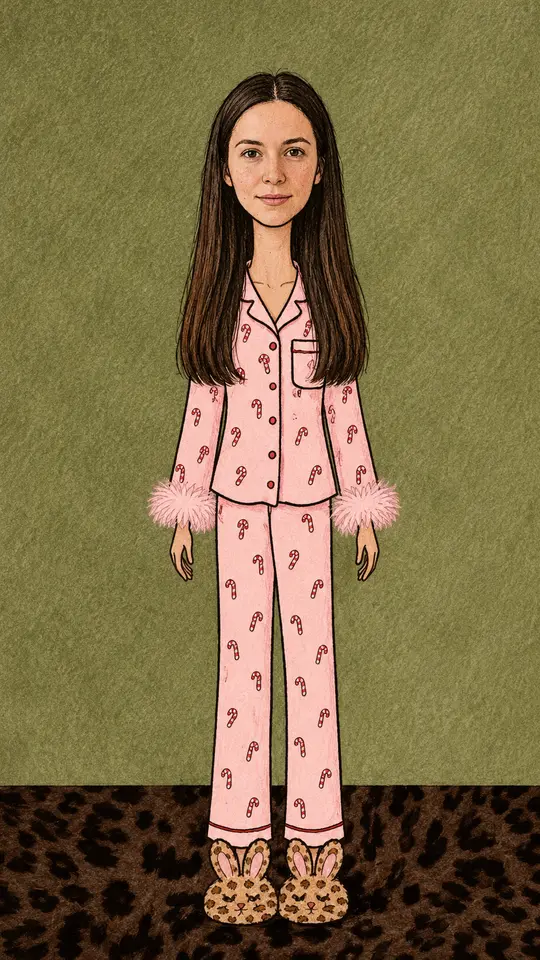
Lowest credit cost with faithful facial features and outfit fidelity, showing the same photorealistic-face-on-cartoon-body contrast as GPT Image 2.5 Flare.
Swipe horizontally to compare all 6 models →
| Check | Nano Banana 2.1 | Qwen Image 3 | Seedream 5.5 | Nano Banana Pro | GPT Image 2.5 Flare | GPT Image 2 |
|---|---|---|---|---|---|---|
| Unified 2D hand-drawn style (no photoreal face contrast) | Yes (clean 2D) | Yes (pure 2D) | Yes (exact style) | Yes (bold ink) | No (realistic face) | No (realistic face) |
| Facial likeness & wavy brown hair from Image 1 | Yes (steady) | Yes (strongest) | Partial (cuter) | Partial (heavier) | Yes (photoreal) | Yes (photoreal) |
| Removes Image 2's glasses, earrings & short curls | Yes | Yes | Yes | Yes | Yes | Yes |
| Candy-cane pajamas, cuffs & bunny slippers | Yes | Yes | Yes (closest) | Yes | Yes | Yes |
| Runtime & 1K credit cost (2 reference images) | 65.7 s · 8 credits | 56.0 s · 11 credits | 23.5 s · 24 credits | 40.4 s · 17 credits | 62.5 s · 13 credits | 64.7 s · 7 credits |
Pure 2D cartoon unity separates the six runs immediately: Nano Banana 2.1, Qwen Image 3, Seedream 5.5, and Nano Banana Pro render the face and body in one cohesive hand-drawn ink style, while GPT Image 2 and GPT Image 2.5 Flare preserve photo-like facial skin that stands out against the flat illustrated pajamas. Among the unified 2D results, Seedream 5.5 finishes fastest (23.5 s) with the closest exaggerated proportions, Qwen Image 3 captures the strongest likeness, and Nano Banana 2.1 delivers clean 2D consistency at 8 credits.
Instead of forcing a video generator to invent a 2D cartoon face from a live selfie mid-motion, EaseGen runs two specialized steps automatically behind a single click—styling your portrait into a matched 2D pajama avatar first, then animating all six holiday beats.
Right after you upload your photo and click Generate, EaseGen maps your face shape, hairstyle, hair color, skin tone, freckles, and glasses presence onto a clean 9:16 2D hand-drawn illustration dressed in the scene's festive striped sleepwear and plush slippers.
Next, EaseGen feeds that fresh 2D cartoon avatar directly into the 11-second holiday animation—reproducing the walk-in kiss, snowy oval plaque, over-the-shoulder mirror close-up, red lipstick motion, and final brush-script title reveal without reverting faces mid-clip.
Step 2 Animation Prompt (Applied Automatically Behind Generate)
Use [Video1] as the sole 11-second vertical 9:16 reference for the whimsical 2D hand-drawn cartoon animation style, wobbly ink outlines, colored-pencil texture, scene cuts, camera framing and zoom, walking and kiss-blowing motion, snowy oval plaque reading "welcome to Vlogmas", pink-bow Christmas tree with angel topper, three framed wall portraits, trotting white Westie dog, wooden vanity table, compact blush, pink perfume bottle, mirror lipstick action, and the complete original holiday jazz and spoken audio track. Replace ONLY the main cartoon character in [Video1] with the 2D hand-drawn cartoon character already shown in [Image1]. Treat [Image1] as the exclusive authority for the replacement character's face shape, eyes, eyebrows, nose, mouth, skin tone, blush or freckles, hair color, hairstyle, hair length, glasses presence or absence, and pink candy-cane Christmas pajamas with fluffy pink cuffs and leopard bunny slippers. Do NOT retain or revert to the original character's short curly hair, glasses, earrings, skin tone, or facial features from [Video1] unless they appear in [Image1]. Reproduce the exact 11-second sequence from [Video1] without changing pacing, camera movement, or cuts: 1. Opening walk-in (0–2.4s): Against the olive-green wall and dark leopard-print rug, the [Image1] cartoon character walks in from the left, pauses center-frame to blow a kiss with a floating pink heart, and walks off to the right. 2. Sliding plaque (2.4–4.2s): Keep the wooden snowy oval plaque with twinkling snowflakes and cursive pink "welcome to Vlogmas" lettering sharp, legible, and spelled accurately. 3. Vanity corner and mirror close-up (4.2–9.6s): As the camera cuts to the Christmas tree vanity corner and zooms over the character's left shoulder, match BOTH the character's hair and pajama sleeves from behind AND the front-facing reflection inside the oval vanity mirror strictly to [Image1] while applying red lipstick. Never revert the mirror reflection to the original curly-haired character with glasses. Keep the white Westie dog, tree, and room props unchanged. 4. Mirror text reveal (9.6–11.5s): Keep the mirror transition into bold pink brush-script lettering reading "Welcome to Vlogmas" framed by tiny white corner sparkles crisp and spelled accurately as the hand lowers the lipstick. Maintain consistent 2D hand-drawn ink line art and flat colored-pencil shading across every frame (no photorealistic face or 3D shading). Single lead character only, keep the original audio unchanged, no extra people, no added captions, and no watermark.
Separating identity locks ([Image1] already converted to 2D ink art) from motion choreography ([Video1]) prevents the over-the-shoulder vanity mirror reflection from reverting to the original curly-haired character with glasses.
Every beat checked directly from our generated test clip to verify likeness, 2D line unity, mirror reflection, and Holiday title spelling.
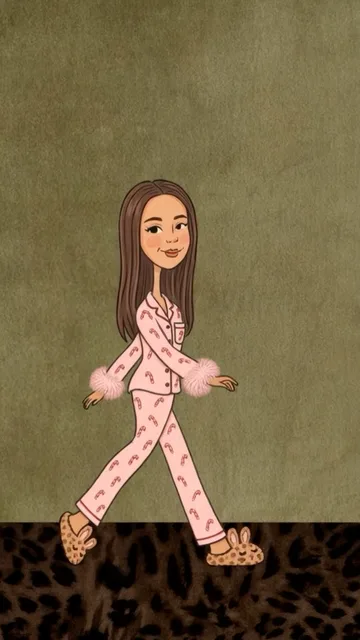
Unified 2D ink lines, festive striped sleepwear, and plush slippers match the opening stride.
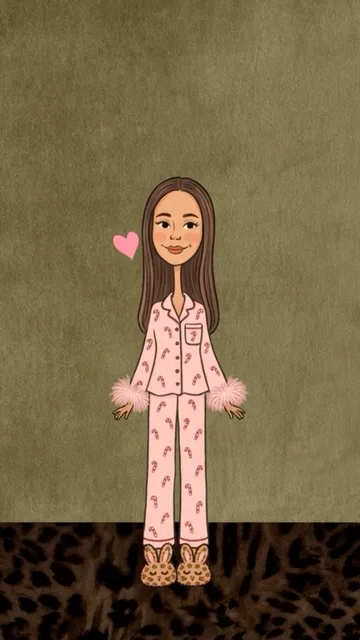
Center pause blows a pink heart kiss while preserving wavy brown hair and zero glasses.
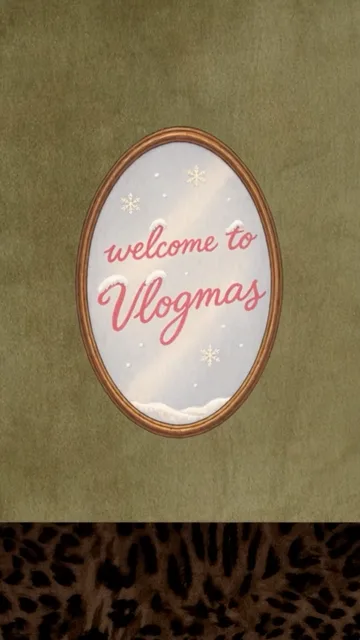
Snowy oval plaque holds sharp snowflakes and accurate cursive 'welcome to Vlogmas' text.
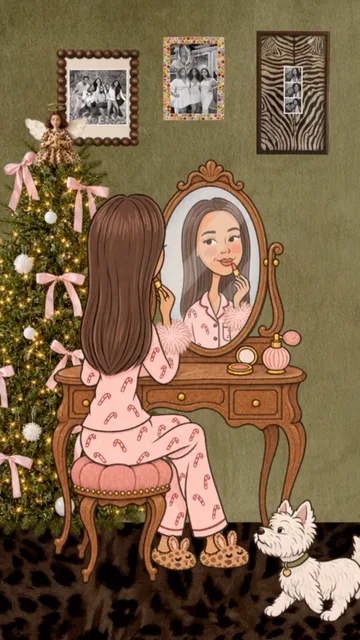
Christmas tree, angel topper, wall photos, and Westie dog stay intact beside the mirror shot.
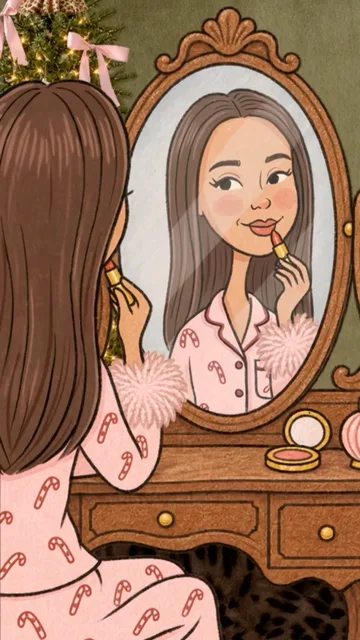
Both back hair and oval mirror face stay locked to the custom avatar without reverting.
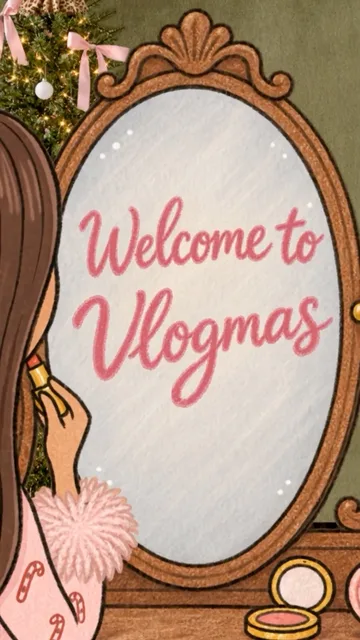
Final mirror script 'Welcome to Vlogmas' renders cleanly with crisp corner sparkles.
December daily vlogging rewards instant series recognition in the first two seconds. Instead of opening every episode with shaky handheld hallway footage or generic countdown text that viewers swipe past, creators in November 2026 coalesced around a cozy storybook aesthetic—recognizable at thumbnail size even on muted mobile feeds.
Using a dedicated illustrated opener also solves December's biggest production bottleneck: your room does not need holiday staging, matching studio light, or festive wardrobe on filming days. One generated intro carries the polished holiday transition and upbeat greeting cleanly into every raw daily vlog from Day 1 through Christmas.
Creators make several variations of the November 2026 holiday opener. Here is how they compare and what this template produces.
From a single hand-drawn pajama illustration on TikTok to December's signature daily vlog opener.
Approximate timing inside EaseGen's built-in 11.5-second vertical reference clip.
| Approximate time | Moment in the reference |
|---|---|
| 0–2.4s | Against an olive-green wall above a dark leopard-print rug, the hand-drawn cartoon character in pink candy-cane pajamas and bunny slippers walks in from the left, stops center-frame to blow a kiss with a floating pink heart, and walks off to the right. |
| 2.4–4.2s | A wooden oval plaque slides across the wall displaying snowy blue skies, twinkling snowflakes, and pink cursive "welcome to Vlogmas" lettering as the jazz jingle and "Hey y'all, welcome to Vlogmas" greeting play. |
| 4.2–7.9s | Cut to a cozy Christmas corner with a pink-bow tree topped by an angel, three framed portraits above, and a white Westie dog trotting past while the character sits at a wooden vanity applying lipstick in the oval mirror. |
| 7.9–9.6s | Camera zooms closer over the character's shoulder onto the vanity mirror, keeping their cartoon face, hairstyle, glasses, and lipstick motion clear inside the reflection. |
| 9.6–11.5s | The mirror glass shifts into bold pink brush-script lettering reading "Welcome to Vlogmas" framed by tiny white corner sparkles as the character lowers the lipstick and the holiday jingle resolves. |
Drop one clear front-facing selfie to build a signature 11-second holiday intro you can reuse at the start of every December TikTok, Instagram Reel, or YouTube Short.
Upload a clean makeup or hair-down portrait so the vanity lipstick shot and mirror reflection mirror your real hair color, curls, bangs, and eyewear.
Turn a deadpan work headshot or gym selfie into a cozy illustrated character blowing kisses beside a pink-bow holiday tree.
Create a custom illustrated holiday opener featuring a friend, sister, or roommate to kick off shared December countdown posts.
Upload a crisp centered anime or VTuber portrait to translate your character's hair and eye style into the warm 2D hand-drawn Christmas vanity scene.
Use an eye-level pet photo to cast your dog or cat into the hand-drawn Christmas room as a playful holiday mascot opener for pet vlog accounts.
EaseGen maps your photo across both the opening walk-in and the 7.9–9.6s mirror close-up. Follow these four checks before generating.
Choose a photo where curls, braids, bangs, or hair length are clearly visible against a clean background—hair silhouette is the fastest cue viewers recognize in 2D cartoon form.
Your uploaded shirt, coat, and room background are intentionally replaced by the illustrated holiday sleepwear and olive-green dressing room, so any tidy indoor selfie works.
Skip harsh neon lighting, sunglasses, or strong beauty-smoothing filters so the illustration keeps your real skin tone, eyebrow shape, and eye expression.
Mirror selfies holding a phone near the jaw confuse the 7.9–9.6s lipstick reflection shot. A clean chest-up portrait looking straight at the lens holds likeness best.
Keep viewers hooked past the first three seconds across TikTok, Reels, and December daily vlogs.
Use the complete 11-second clip for Day 1 kickoff vlogs and channel trailers. For fast-paced daily TikToks where 3-second retention matters most, trim straight to 4.2s–11.5s so viewers jump straight into the tree corner, lipstick close-up, and final title reveal.
Overlay a crisp top caption like "Vlogmas Day 1: Cozy Morning Reset" in the first two seconds so silent viewers on Instagram Stories or feeds immediately see today's episode topic.
The exported MP4 already includes the festive brass jazz jingle and "Hey y'all, welcome to Vlogmas" voice clip. On TikTok, post directly with that audio or layer a trending holiday song at 1%–5% volume while keeping Original Sound at 100%, and toggle the platform's AI-content label when required.
All three options export the same 11-second 9:16 MP4 with original holiday audio and no watermark. Pick based on how you reuse the intro.
| Detail | 720p (Recommended) | 480p (Fast Test) | 1080p (Max Detail) |
|---|---|---|---|
| Credits (cartoon setup + 11s video) | 399 credits (recommended) | 192 credits (fast test) | 790 credits (max detail) |
| Best for | Reusing across all 25 December TikTok, Reels & Shorts uploads | Checking cartoon hair, glasses & face likeness first | Big-screen YouTube vlogs & crisp vanity text close-ups |
| Line art & mirror text | Clean ink outlines, candy-cane print & sharp Welcome to Vlogmas script | Quick preview of walk cycle and reflection likeness | Highest crispness on jewelry, eyelashes & script texture |
| Audio & output | 11s 9:16 MP4, built-in holiday jazz, no watermark | 11s 9:16 MP4, built-in holiday jazz, no watermark | 11s 9:16 MP4, built-in holiday jazz, no watermark |
| Failed run protection | Credits refunded automatically | Credits refunded automatically | Credits refunded automatically |
DIY tutorials force you to prompt cartoon characters in one app, re-roll mismatched skin tones, generate a separate oval sign, and strip backgrounds before even opening an editor. One portrait handles the entire illustrated cast in one pass.
Forget lining up sliding mirror PNGs, matching walking legs across layers, or losing sharpness exporting assets between desktop and phone. The walk, kiss, tree, vanity zoom, and script reveal stay locked in 9:16.
Daily Vlogmas uploads already stretch editing time thin. Render your custom intro once in minutes and drop the finished MP4 onto every December vlog without sacrificing sleep or filming time.
Quick adjustments if hair, glasses, or mirror likeness drift during illustration.
Pick a photo with clear contrast behind your hair rather than a dark hood or busy background, so the cartoon ink outline traces your full curls, waves, or length.
Upload a straight-on portrait where thin rims or distinct frame shapes are clearly visible without heavy lens glare. If you do not want glasses in the cartoon, upload a photo without them.
Avoid colored LED room lighting, strong sunset shadows, or heavy beauty filters. Neutral indoor daylight gives the cartoon palette an accurate skin-tone read.
Download the full 11-second MP4 and trim the start at 4.2s in your phone editor so every daily vlog jumps straight into the dressing-table close-up and holiday title reveal.
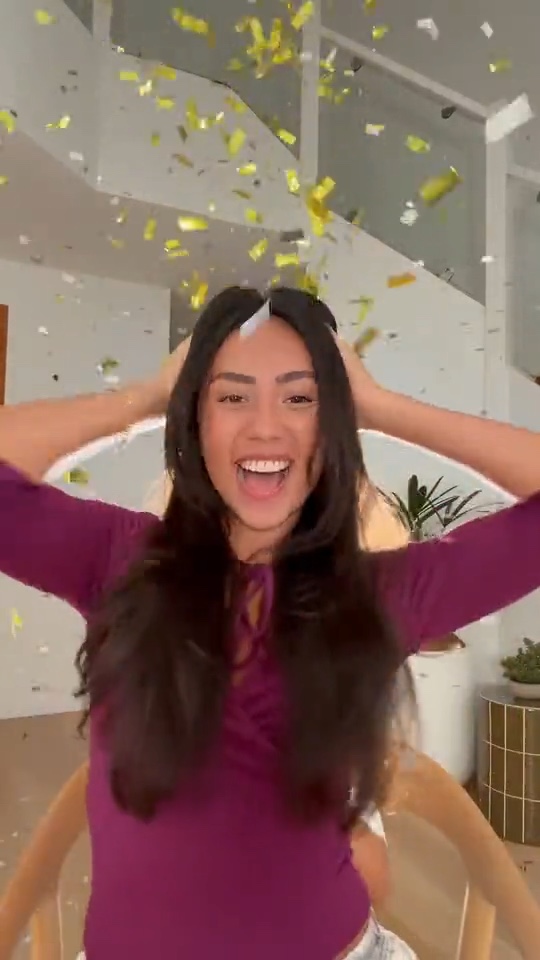
Turn one photo into a 12-second confetti-cannon Boom Clap video with original sound.
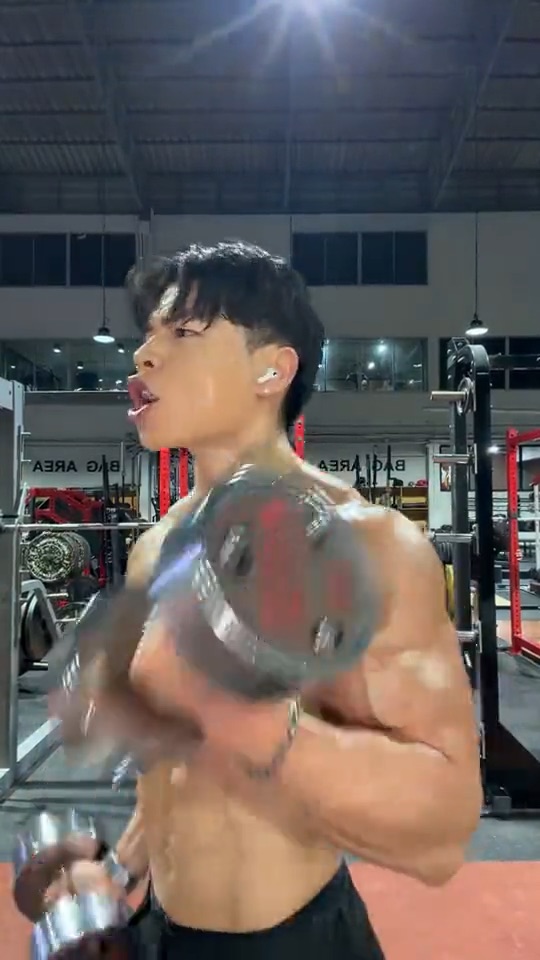
Turn one photo into the 14-second "In This Town" gym video with original sound.
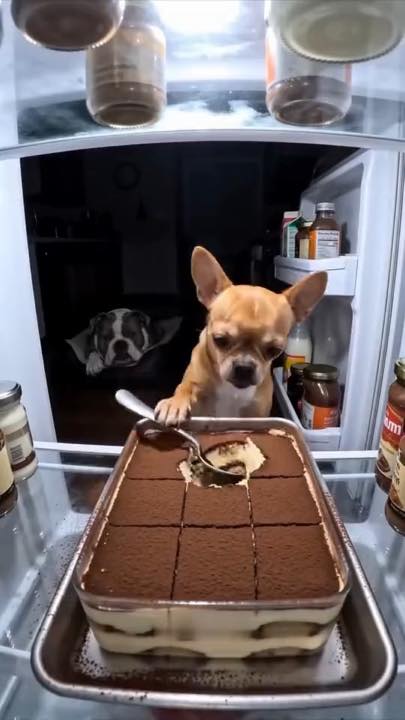
Put your pet or character in the Chihuahua's place in the tiramisu fridge video with one photo.
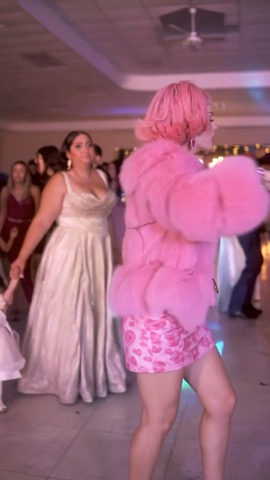
Put one person into the Dime Dime Baby party dance with a built-in video reference.
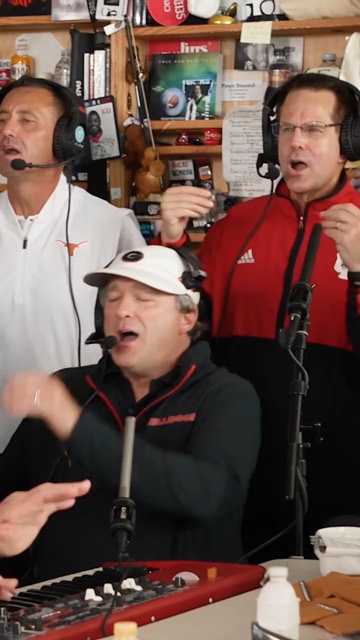
Put five people into a desk-concert performance with five photos.
Turn your ideas into images and videos in one creative workspace.